
MCP for Accounting: Your AI Assistant Can Now Work With Your Books
NewLedger now supports the Model Context Protocol, so you can ask Claude or any compatible AI client to pull reports, draft invoices, and categorise transactions — without ever handing it the keys.

Photo by fauxels from Pexels
You can now talk to your books.
NewLedger supports the Model Context Protocol (MCP) — the open standard that lets AI clients like Claude connect to real tools instead of just chatting. With this release, your AI assistant can read your accounting context, surface what's happening across your books, and prepare drafts for things like invoices and expenses, all while staying inside boundaries you control.
This guide covers the provider-neutral MCP foundation. For a client-specific workflow, see how to connect Claude or a Microsoft Copilot agent to NewLedger.
The point isn't to hand your books over to an AI. The point is to stop typing a question into one app and then translating the answer into another. Ask "how does our cash position look this month?" and get an answer from your actual numbers. Ask "draft an invoice for Acme — May retainer, the usual amount" and get a draft you review in NewLedger, not a freeform paragraph you copy-paste somewhere.
What this actually feels like
Imagine your normal flow. You're closing out May, you have ten things on a list, and an AI assistant in the corner that knows your real numbers.
You ask:
"What's our AR aging look like? Anyone past 60 days?"
It pulls the report from NewLedger, summarises it, and tells you which two customers to chase first.
"Draft an invoice for Coastline for the May retainer — same amount as last month."
It creates a draft invoice inside NewLedger. You open the draft, look it over, hit send.
"That coffee shop charge — was it the team offsite or my personal card?"
It looks at the transaction, sees that one was on the business card the same day as a calendar event called "team lunch", and proposes a category. You approve.
That's the daily texture. Not "AI replaces your accountant." Just "AI does the bit between question and answer."
Where to find it in NewLedger
Open Settings → App Connect → MCP Server inside your NewLedger workspace.
That page is where you copy the MCP server URL you'll plug into your AI client (Claude Desktop, any MCP-compatible IDE, or anything else that speaks the protocol). It's also where you'll see what's currently connected and revoke access any time.
MCP uses the same App Connect OAuth 2.0 consent layer as other delegated connections. If you are building a server-to-server integration instead, use API credentials rather than the MCP flow. We broke down that decision in API credentials vs OAuth 2.0 in NewLedger.
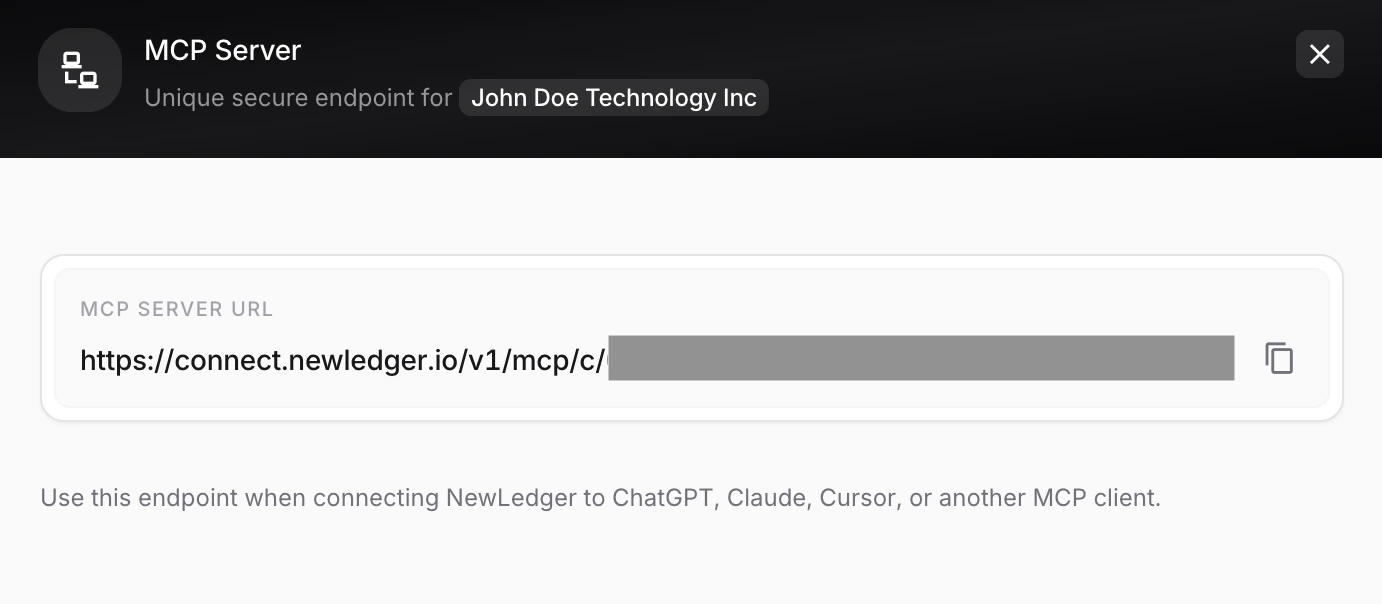
The MCP server URL lives under Settings → App Connect → MCP Server. Connect from your AI client of choice.
What you can ask it to do
Once you connect a client and grant consent, NewLedger exposes a curated set of accounting tools. Your assistant uses these — and nothing else — to interact with your books.
| What it can do | Why that's useful |
|---|---|
| Read company summary and recent activity | "What changed in the books this week?" answered without you opening tabs. |
| Browse accounts, account tree, and tax codes | Your assistant categorises things correctly because it knows your chart of accounts. |
| Look up clients, vendors, products, and services | Drafts an invoice for Acme without you spelling out their billing address. |
| Draft invoices from a prompt | "Invoice Helix for May" creates a draft you review and send — never auto-posted. |
| Draft bills and expenses from a prompt | Capture spend or vendor bills in seconds without leaving your AI chat. |
| Review banking transactions and propose categories | The long tail of "what was this charge?" cleared in one conversation. |
| Inspect journal history and prepare draft journals | For accountants: propose period-end adjustments your client (or you) can review. |
| Pull P&L, balance sheet, trial balance, general ledger | Board prep, investor updates, lender questions — answered from your real numbers. |
| Pull AR aging, customer balances, payments, sales reports | Know who owes you what without opening seven different screens. |
| Pull expense, tax, and withholding reports | Quarterly tax conversations, compliance prep, expense audits — all queryable. |
This is a starting surface. We'll expand it deliberately — based on what actually shows up in your workflows — not in a single big bang.
What it deliberately can't do
This is the part we want to be loud about, because finance trust is built on what you don't let happen.
- It can't post anything to your ledger. Writes are draft-only. Invoices, bills, expenses, journals — they all land as drafts you review and approve in NewLedger.
- It can't act without consent. Every connection goes through an App Connect OAuth 2.0 flow where you see exactly which tools you're authorising.
- It can't hide. Every action your AI client takes shows up in your activity log with a clear marker — what was called, when, by which connection.
- You can revoke any time. One click in App Connect and the connection is dead. Drafts that were created stay (you can keep, edit, or discard them).
These aren't "future plans." They're the design.
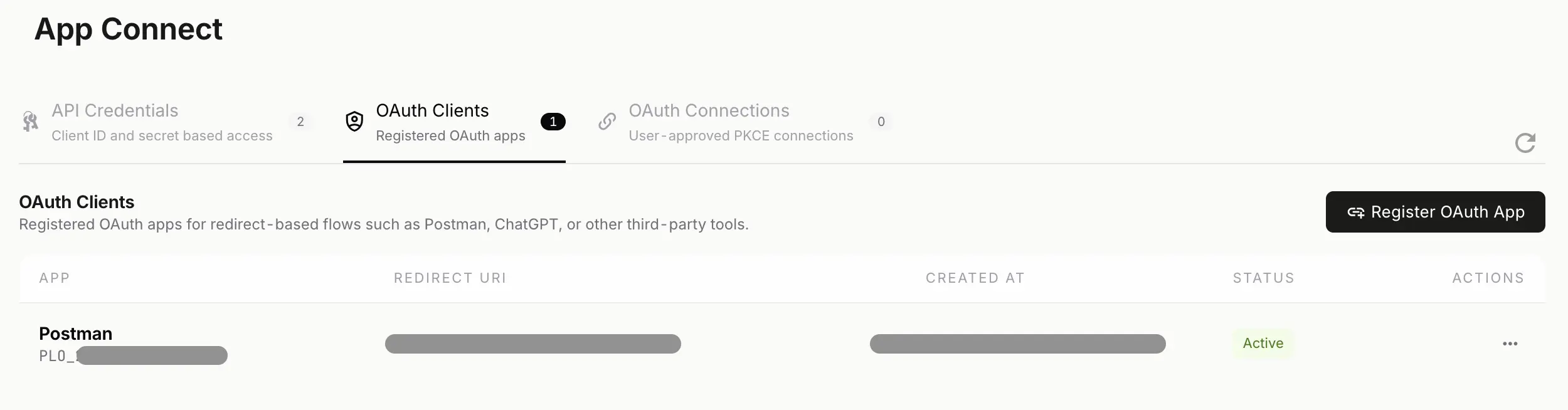
Consent is the boundary. MCP rides on the App Connect OAuth 2.0 flow, so your AI client only ever sees what you authorise it to see.
Two ways teams are using this so far
Solo operators and small teams
The pattern that's emerged from internal use: you keep an AI client open as a sidecar to your day. When something accounting-shaped comes up — a vendor email, a payment notification, a quick question about runway — you ask it instead of context-switching into the books.
The win isn't speed of any single action. It's that the friction between "I have a question about money" and "I have an answer" collapses from minutes to seconds.
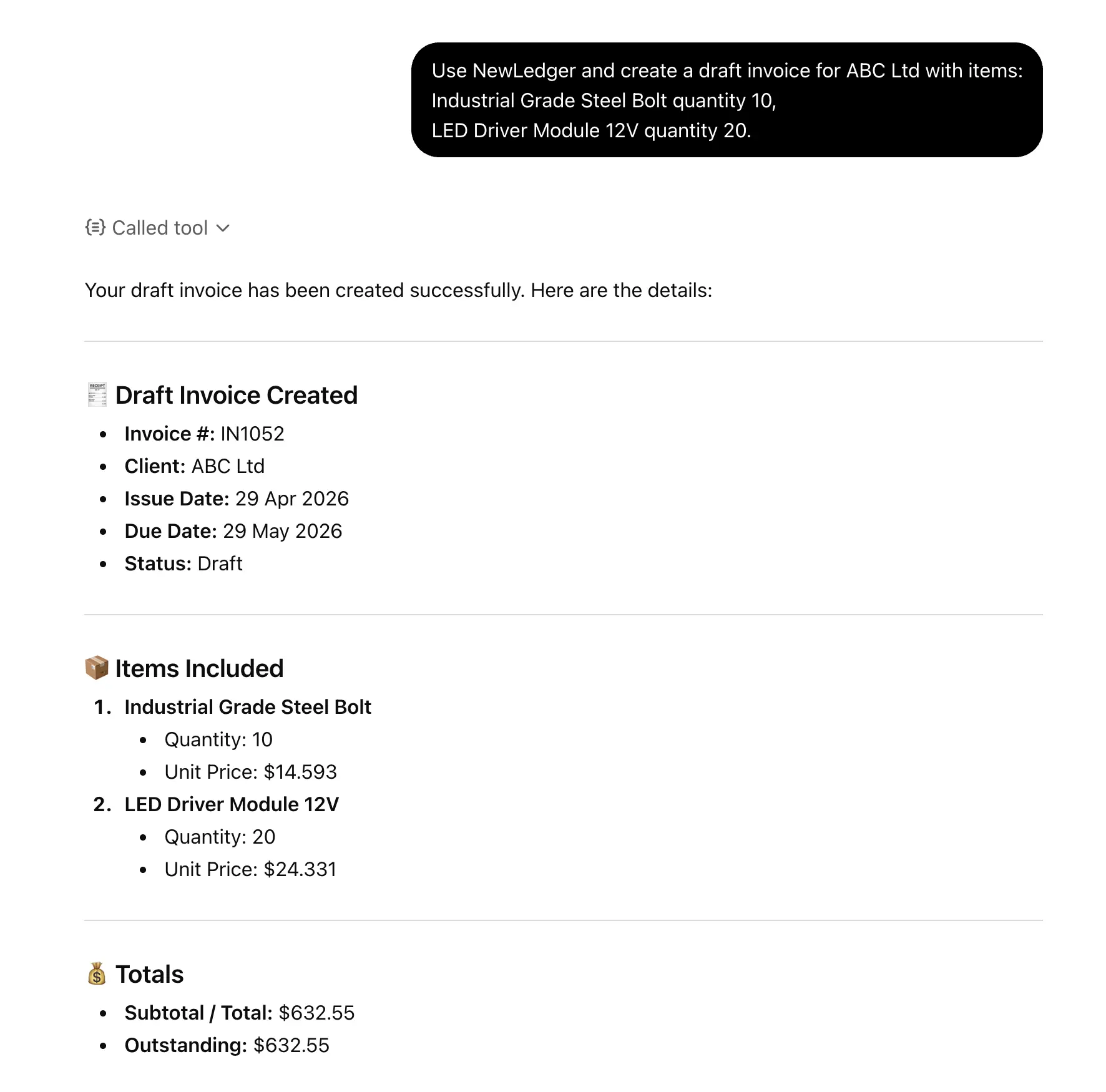
Drafted from a one-line prompt, reviewed in NewLedger, sent when you say so.
Accounting firms
The accountant pattern is different. With permissioned access to multiple client workspaces, an accountant can run their morning triage through a single AI conversation: which clients have unreviewed bank feeds, who's awaiting receipts, where are anomalies appearing, what does the close look like across the book of business.
Then the drilling-in happens inside NewLedger, where the controls and audit trail live. The AI is the scanner. NewLedger is the workbench.
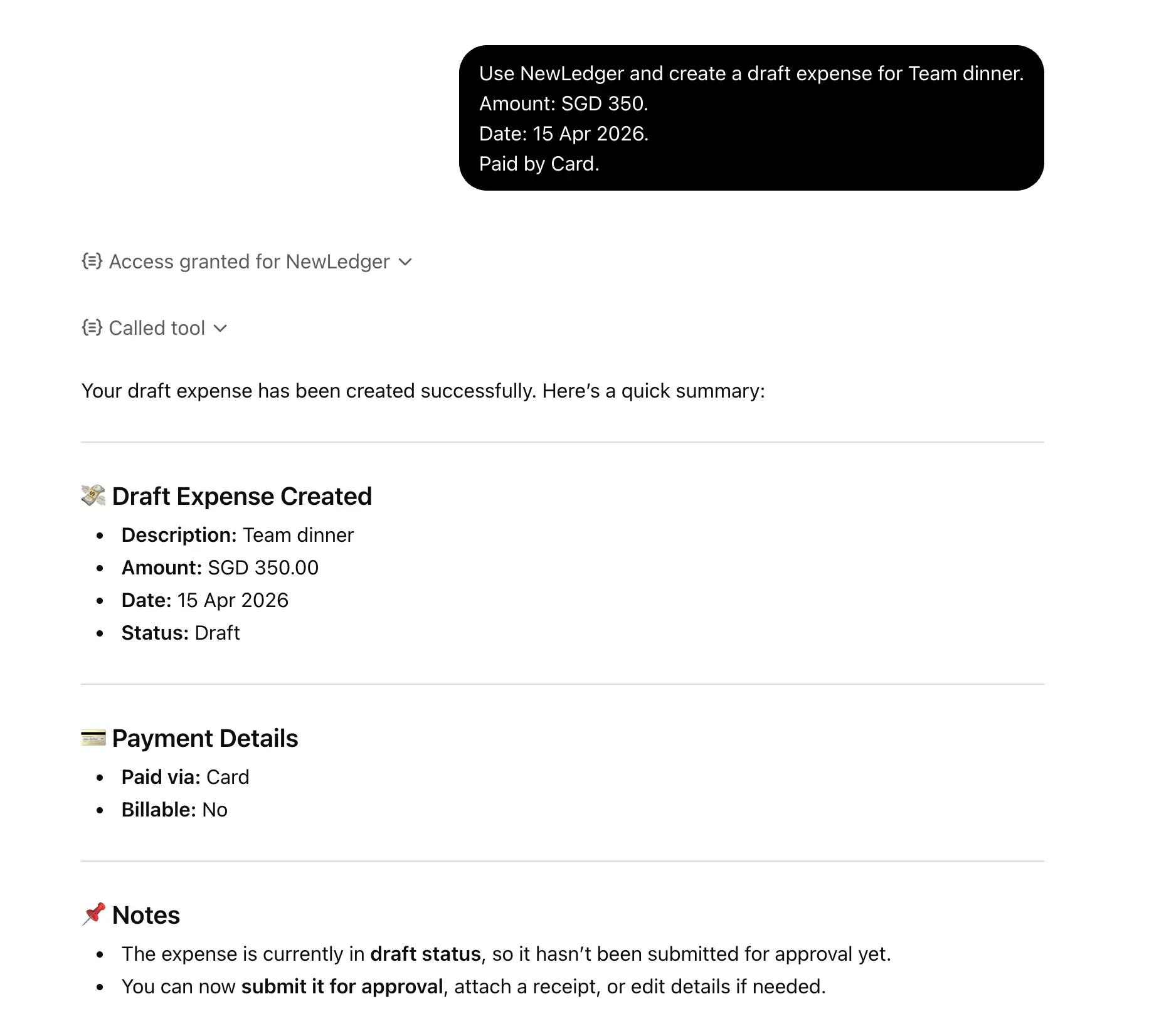
Draft expense creation — vendor, amount, category, notes — surfaced for your review.
What we think MCP is actually for
It's not about putting AI inside every feature. It's about making your accounting workspace legible to the tools you already use to think.
For a long time, accounting software has been an island. You go to it, do work, leave. MCP is what makes it possible for your books to participate in your day without you having to keep switching contexts.
The trade-off — and we mean this — is that the responsibility for what gets posted stays with you. The AI assistant proposes. NewLedger waits. You decide.
That's what makes this safe enough to enable for real businesses, not just demos.
How to try it
- Open Settings → App Connect → MCP Server in your NewLedger workspace
- Copy the server URL
- Add it to your MCP-compatible client (Claude Desktop, an MCP-aware IDE, etc.)
- Complete the App Connect OAuth 2.0 consent — pick the scope you actually want
- Ask your AI for some recent journal entries or your AR aging report
- When that feels right, ask for a draft invoice or expense
- Review and post inside NewLedger
If you're already on NewLedger, this is live in your workspace today. If you're not yet, start a 14-day free trial — MCP support is on every plan.
What's next
We'll add tools based on what we see people actually asking for. The current set covers reading most of your books and drafting the most common write operations. The next round will likely include payment workflows, multi-entity views for accountants, and some structured analytical helpers (cash burn, runway, cohort revenue) that get asked about often enough to deserve dedicated tools.
If there's something your AI assistant should be able to do with your books and currently can't, tell us. We'd rather build what you'd actually use than guess.
More in Product
One Modern Import Workflow, Across NewLedger
Turn messy source files into clean, reviewable records—without rigid templates, frozen browsers, or blind bulk uploads.
Read articleClaude Can Now Work With Your NewLedger Books
Ask questions using live financial data, connect multiple companies, and prepare accounting work with human approval built in.
Read articleMicrosoft Copilot Can Now Work With Your NewLedger Books
Bring live accounting context into the Microsoft 365 workflows your finance team already uses—with company-scoped access and controlled writes.
Read article