
Polished invoices
Create professional invoices with customer, tax, discount, attachment, and payment details ready for review.
NewLedger turns billing into a controlled accounting workflow, from polished invoice creation to receivables visibility, payment status, and journal-ready record history.
Billing workspace
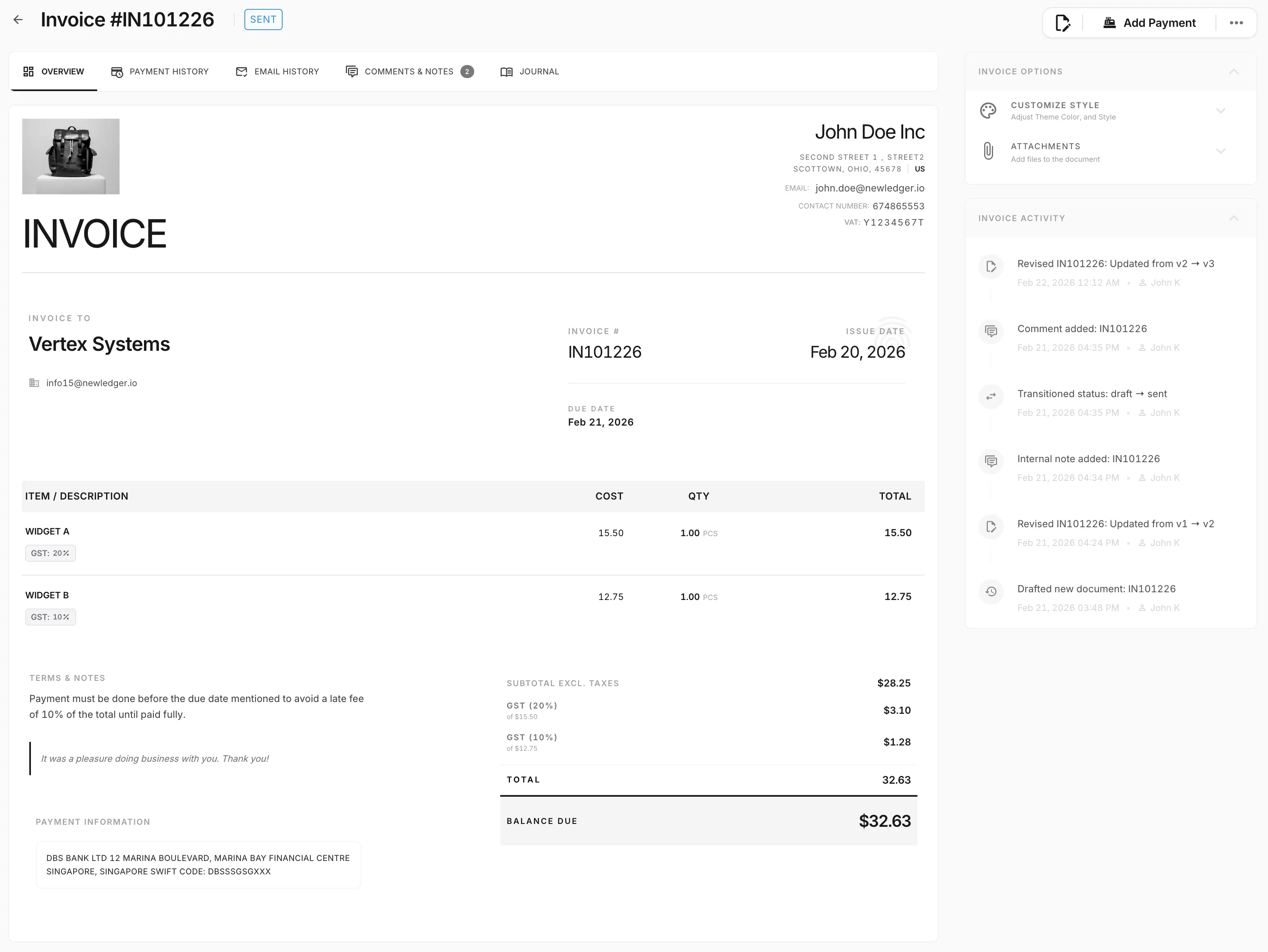
Create professional invoices with customer, tax, discount, attachment, and payment details ready for review.
Track open, overdue, paid, and partially paid invoices without reconciling separate spreadsheets.
Keep invoice actions connected to journals, customer balances, reporting, and audit history.
Each feature page should show the real working surface, the controls around it, and the accounting outcome it drives.
Prepare customer-facing invoices with line items, taxes, notes, attachments, and due-date detail without losing the accounting context behind the document.
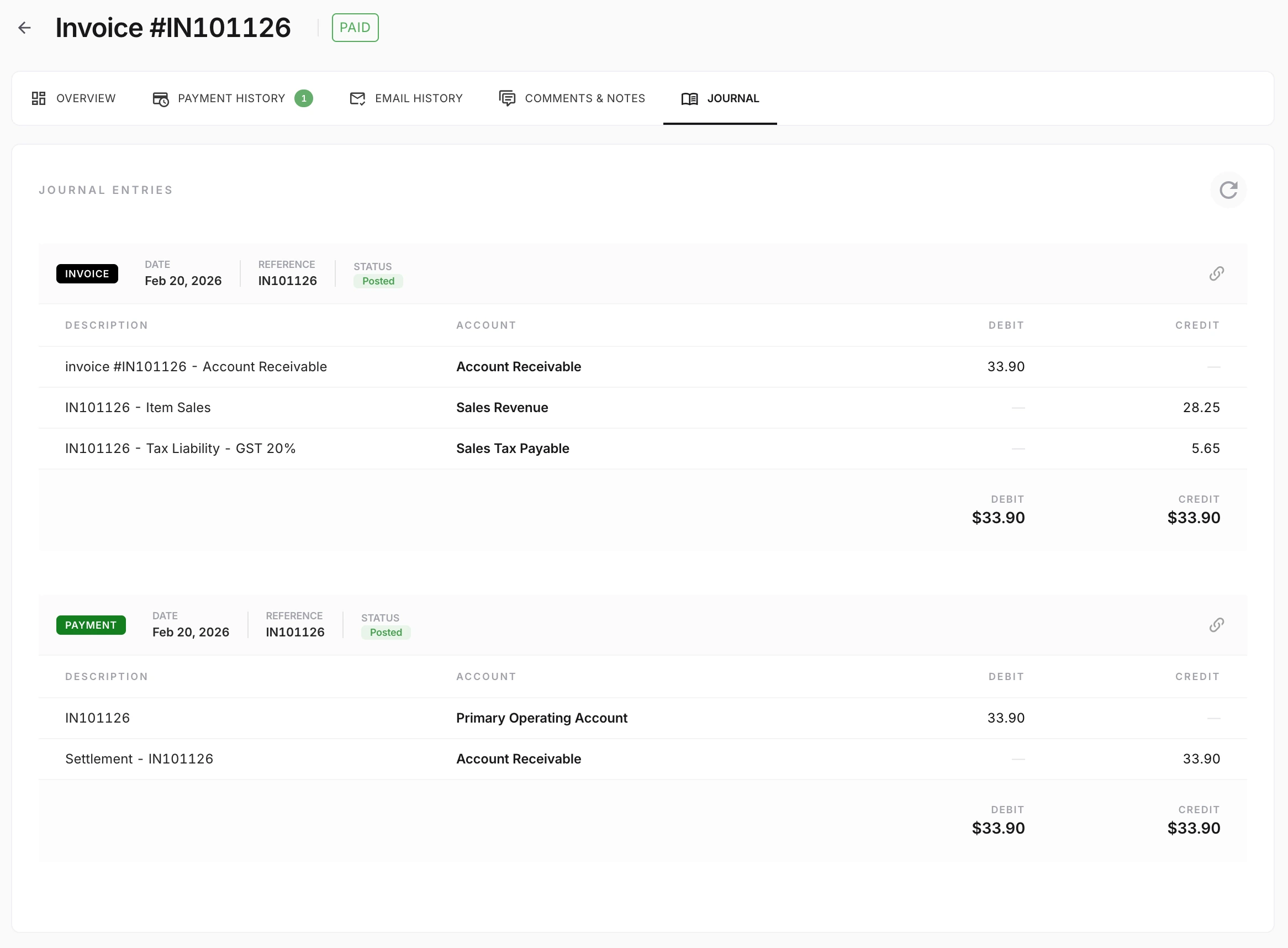
NewLedger keeps the billing workflow tied to its accounting impact, so finance can review the invoice and the resulting journal context without jumping between disconnected systems.
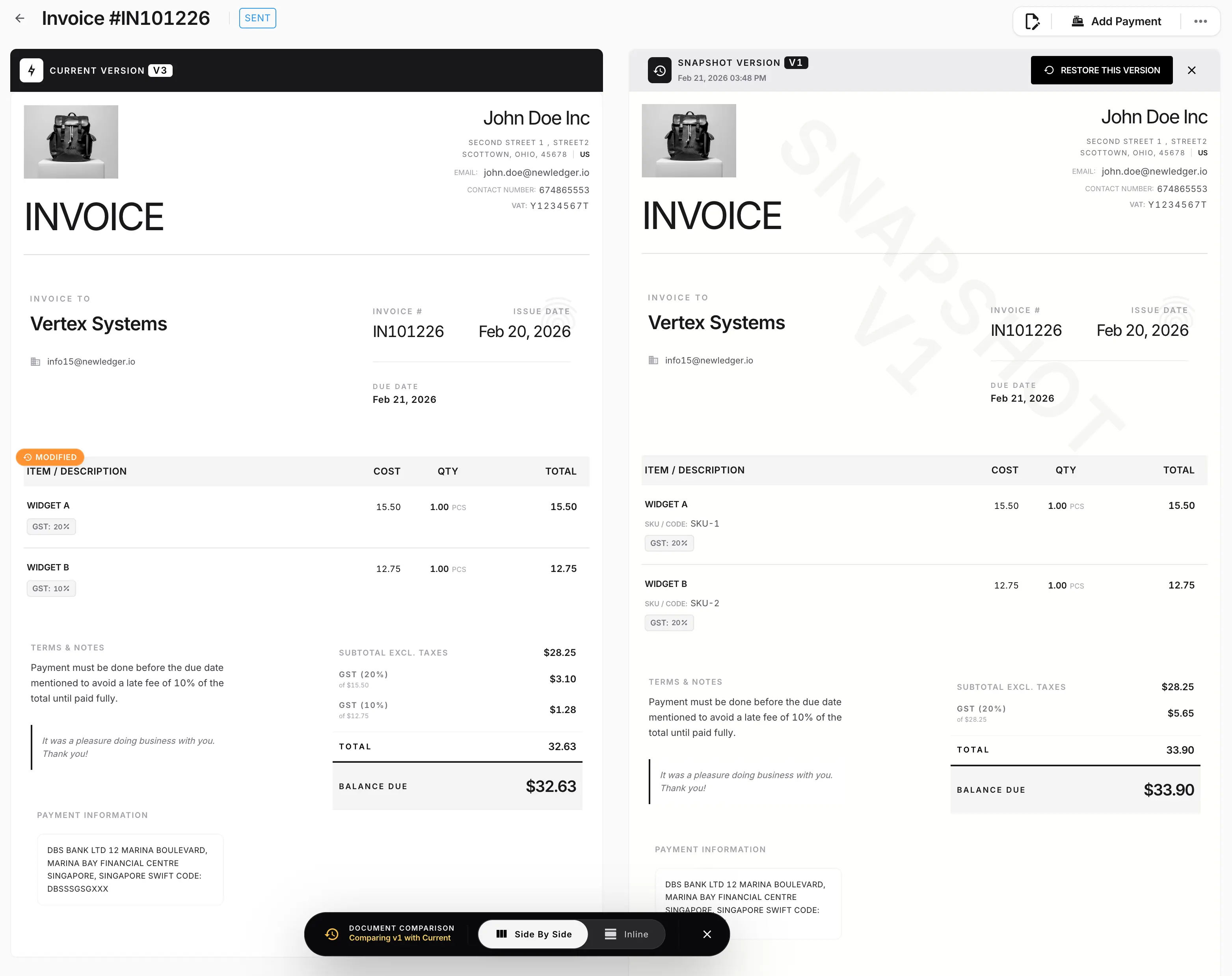
Version-aware comparison helps teams review what changed before sending or approving an updated document, which is especially useful when invoices go through negotiation or internal review.
The workflow should hold up under review, stay connected to the record, and reduce cleanup when finance needs answers quickly.
Customer-ready invoice experience
Connected payment and receivable tracking
Record history for finance review
Evaluate fit before rollout by checking how the workflow connects to records, controls, and reporting.
Yes. The invoicing workflow is designed to cover invoice creation, payment status visibility, receivables tracking, and the accounting record behind each billing action.
Pair billing with spend visibility so finance can review both sides of the operating cycle in one workspace.
Connect invoice collections to bank matching and exception review for a cleaner close process.
Use reporting views that stay closer to billing and payment activity instead of relying on exports.
Run invoicing, bills, banking, approvals, and reporting on one real double-entry ledger. Start with the workflows you need today and add automation, entities, and team access as the work grows.
Create a workspace and run the core finance workflow end to end before expanding the rollout.
Choose the plan that fits now, then use a staged migration path for Xero, QuickBooks, or Zoho.