
Job detail, firm books
Projects vs firm
A Project Is Not a Second Company
Project accounting lets you attribute invoices and costs to an engagement. The firm still closes one set of books unless you have separate legal entities.
Clients, retainers, and milestones are how you sell. The firm still needs invoices, costs, and reports it can close — without turning a time tracker into the books.
14-day free trial · no credit card. Confirm connectors for your stack.
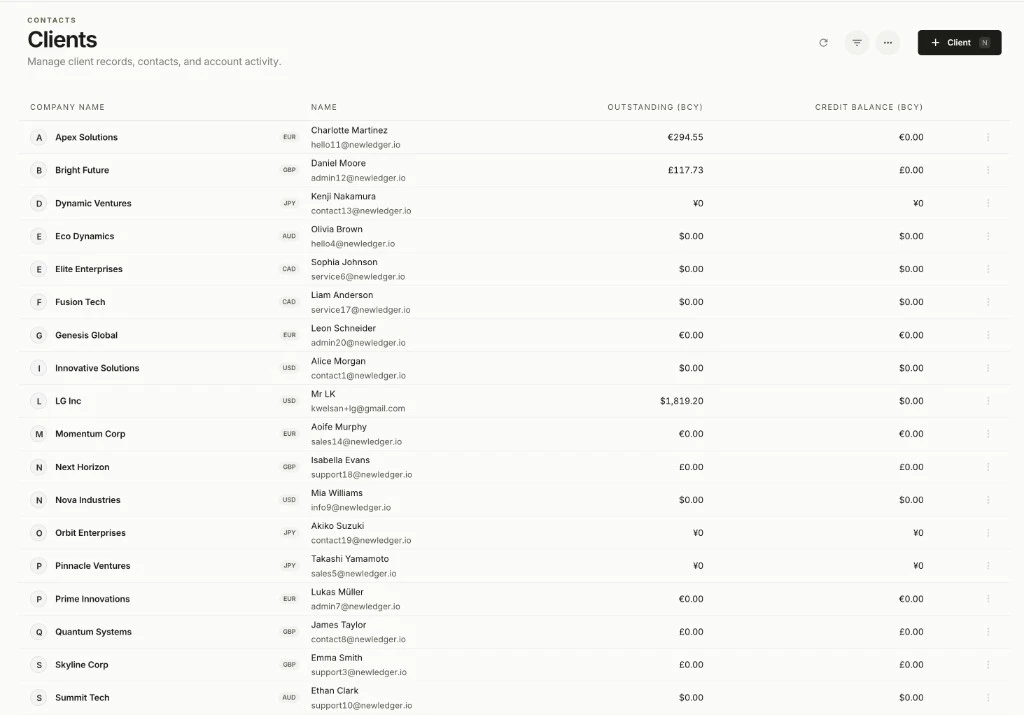
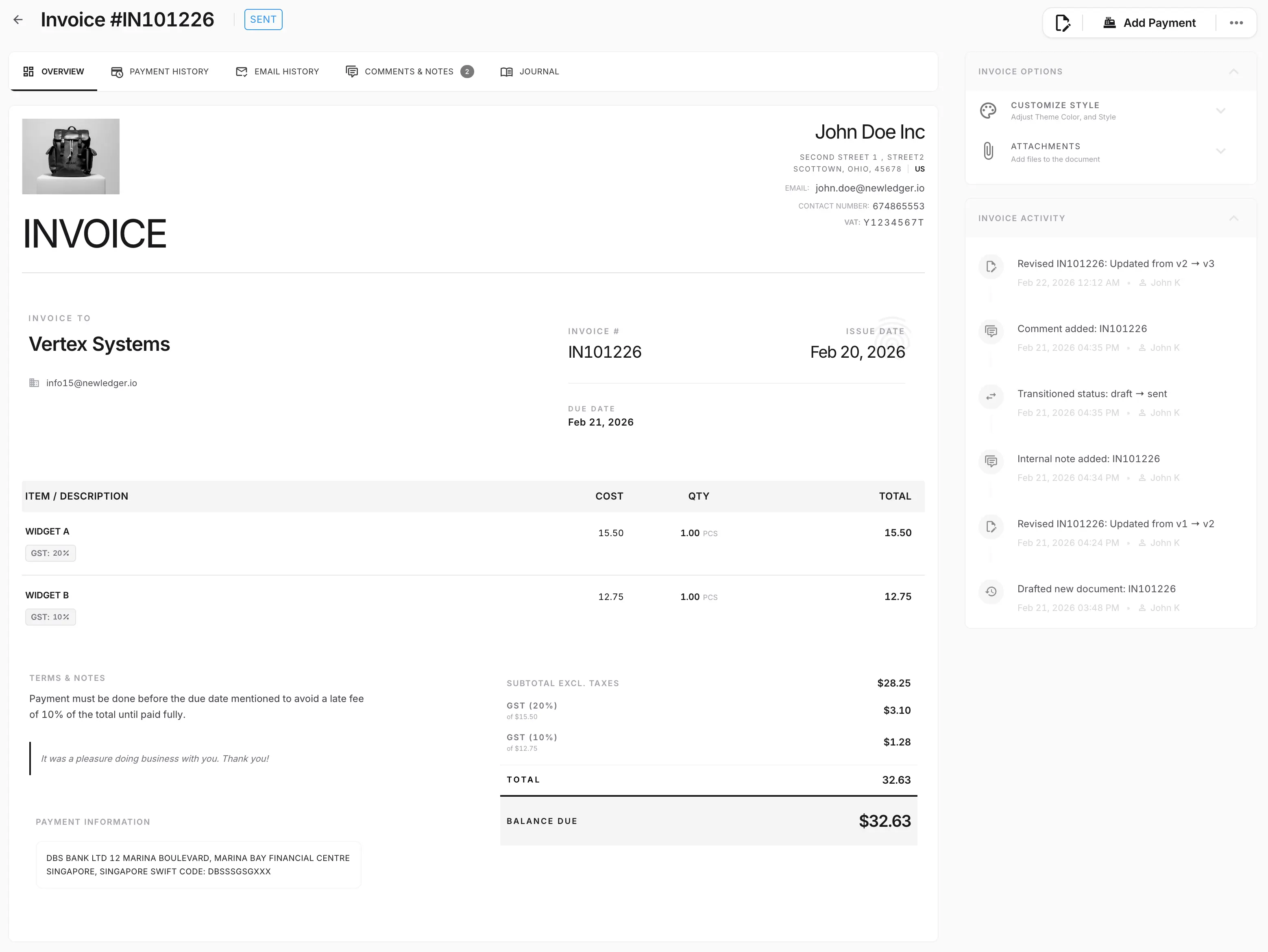
Utilization lives in the time tool. Accounting software for agencies still has to show which work was billed, what it cost, and what the firm can report. Revenue recognition is a policy decision, not a built-in ASC 606 or IFRS 15 module.
Projects vs firm
Project accounting lets you attribute invoices and costs to an engagement. The firm still closes one set of books unless you have separate legal entities.
Time stays adjacent
Billable hours, staffing, and utilization belong in the scheduling or PSA product. NewLedger holds the invoices, bills, and reports that follow from that work.
Recognition is judgement
Apply the accountant's policy for milestone, retainer, and completed-contract treatment to the records kept in NewLedger.
The PSA keeps hours. These are the billing, client, and expense records the firm reviews and closes.
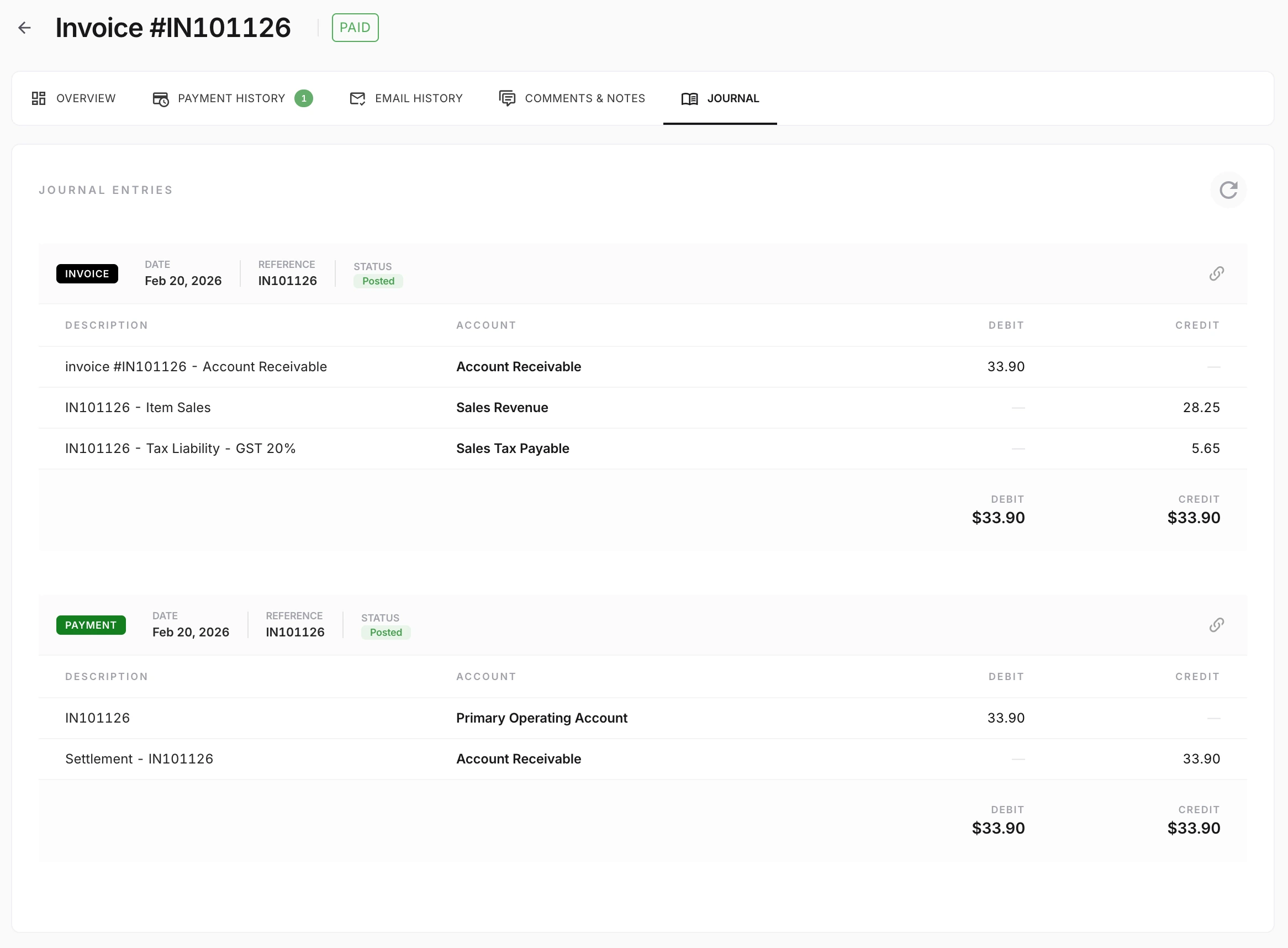
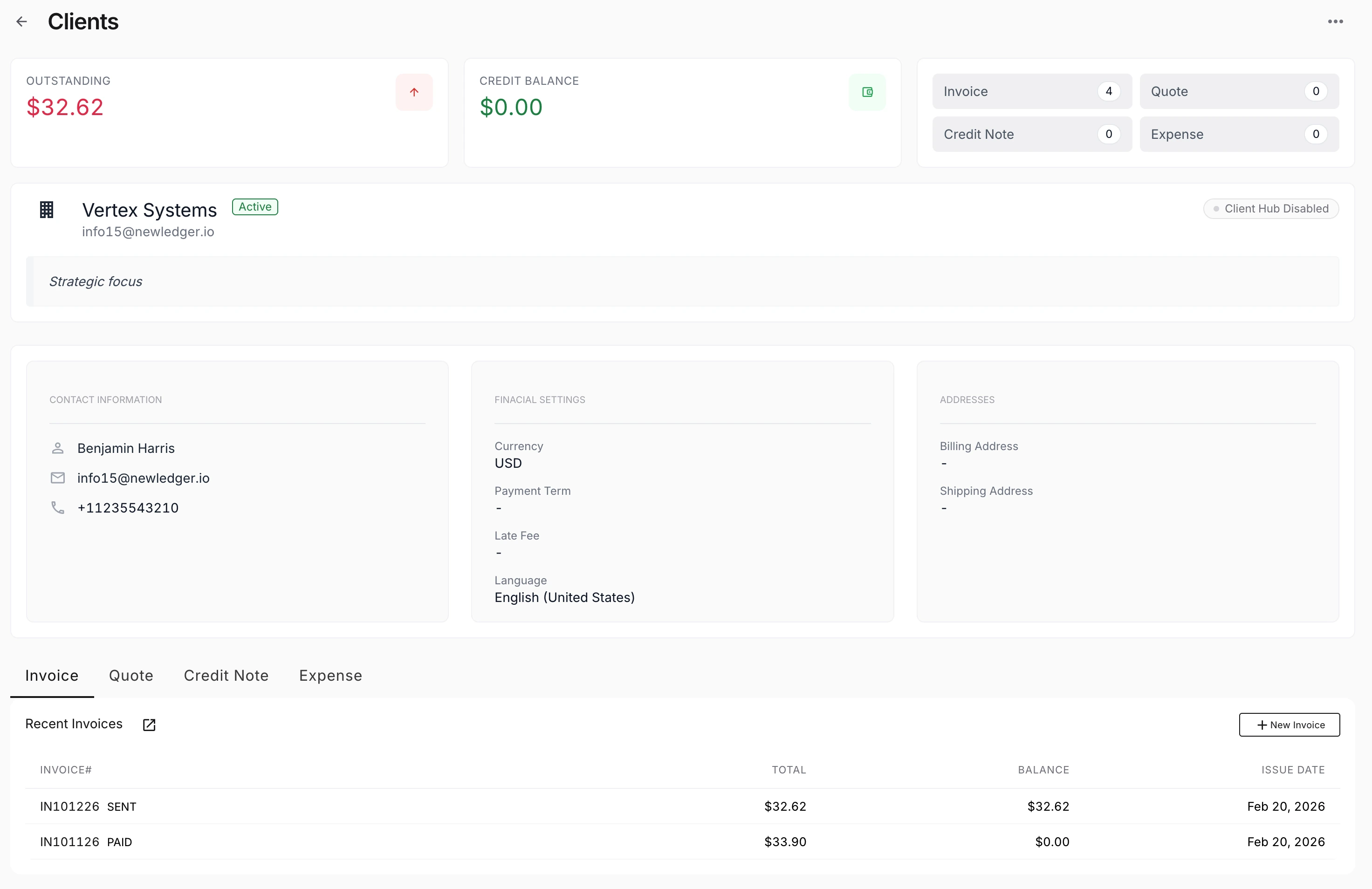
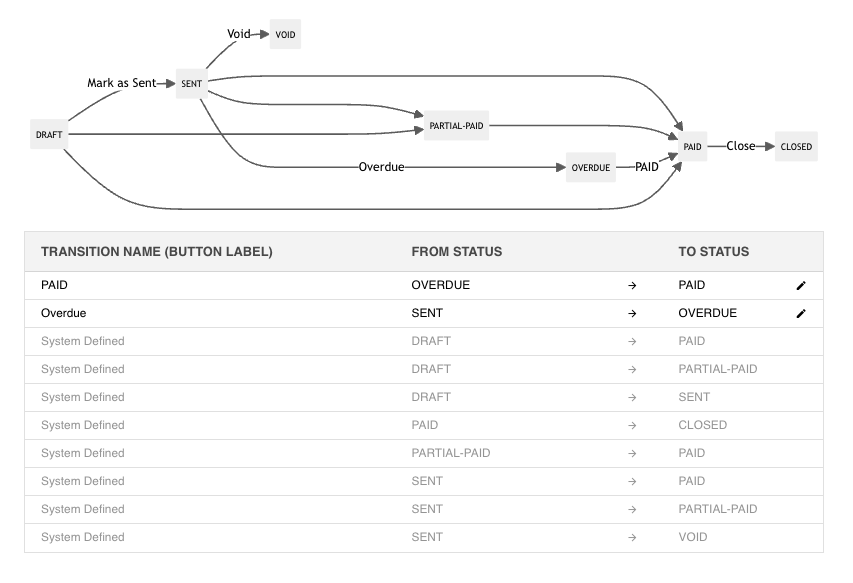
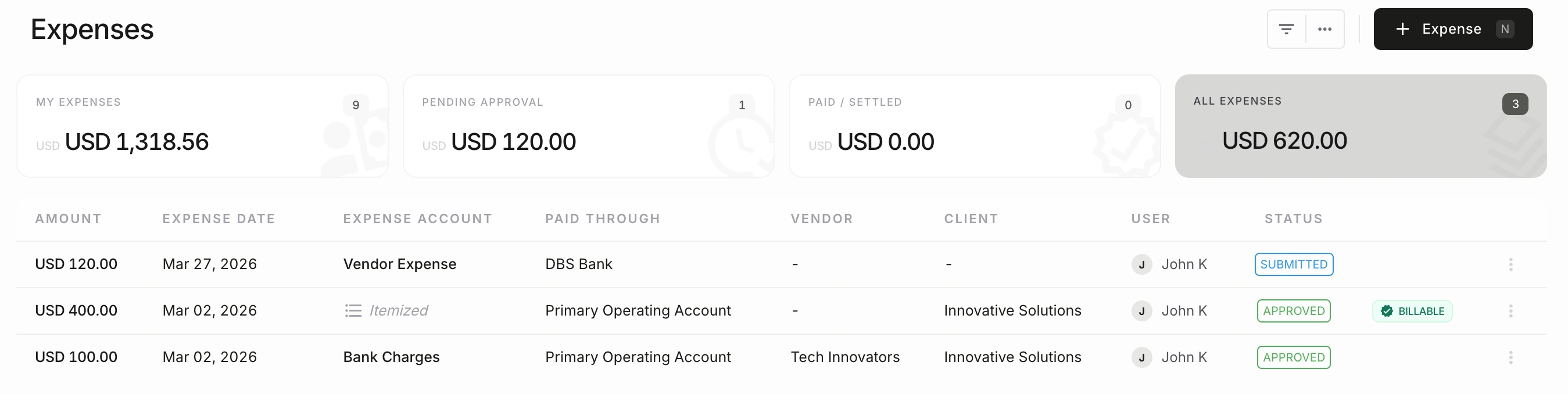
The time tool runs utilization. The ledger runs billing, cost, and close.
Send a quote, convert it when the work is agreed, and invoice retainers or milestones from the books.
Bills, expenses, and invoices can sit on a project so engagement P&L is a view of the ledger — not a side spreadsheet.
Apply revenue policy with judgement, then report from the records just reviewed. 606 / IFRS 15 are not a built-in module.
Project P&L is a view of the firm ledger. Utilization stays in the time tool; recognition stays a policy decision.
On the engagement
A retainer or milestone invoice posts to the project. Contractor bills, software, and other costs sit on the same engagement so the project view shows billed versus spent from the ledger — not from a PSA export.
On the firm close
The firm still closes one set of books. Whether that invoice is earned now or later is the accountant’s policy. Do not treat the project P&L as a 606 engine or as a second company.
The accounting work is the same as any other firm. The operating model is client engagements instead of a PSA suite.
Attribute invoices and costs to an engagement so project P&L is a view of the ledger, not a side spreadsheet.
Project accountingBill retainers, milestones, or time-and-materials from the same invoicing tools used elsewhere in NewLedger.
Online invoicingSend a quote, then convert it when the work is agreed — still a document in the books, not a project plan.
QuotesMatch customer payments to invoices so AR and cash can be explained together.
Bank reconciliationP&L, balance sheet, and cash flow come from the books just reviewed.
Financial reportingRoute material discounts, journals, and bills to an owner before they close into the period.
Approvals and audit controlsNewLedger keeps the books. Resourcing, utilization, and CRM belong to the products that already do that work.
Invoices, bills, project attribution, reconciliation, review, and firm reports.
This page.
Hours, staffing, and utilization stay in the scheduling or practice-management product.
Approved time data can connect to billing and project accounting.
Pipeline and opportunity tools sit in front of the quote and the invoice.
Connect where a connector exists; confirm for your stack.
If you need a dedicated 606 / IFRS 15 subledger, that is a specialist product beside the books.
Policy still belongs with your accountant.
Use this page when you bill clients and still need closable company books.
For accounting firms managing client books, multi-entity finance teams, freelancers, or software platforms requiring embedded accounting, explore the corresponding NewLedger or Paprel route.
Start at accounting firms, finance teams, freelancers, or Paprel.
You bill clients and still need closable firm books
Projects need P&L without replacing the time tool
You will apply revenue policy rather than expect it to appear automatically
You want invoices, recon, and reports in one accounting system
Create a workspace and keep invoices, bills, reconciliations, and reports on the same books. Confirm connectors, permissions, and rollout details for your stack.