
Firm view
Portfolio control
Know where attention is needed
See close readiness, exceptions, review demand, and stalled work across every active client without opening each ledger first.
Run every client’s books, reviews, and month-end from one controlled workspace—without combining their ledgers.
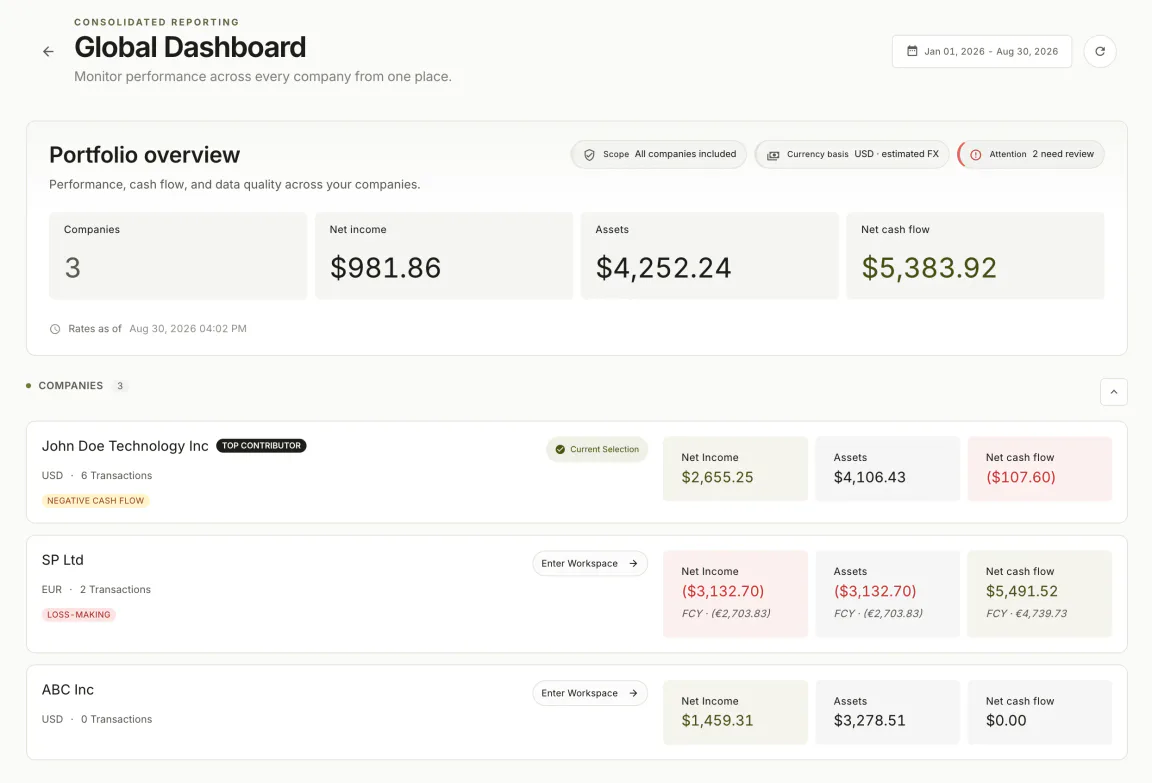
Accounting software for firms has to do two jobs at once. Partners need a reliable view across the portfolio. Each engagement still needs a strict boundary around its books.
Portfolio control
See close readiness, exceptions, review demand, and stalled work across every active client without opening each ledger first.
Client integrity
Preserve each client’s ledger, policies, permissions, evidence, reporting currency, and accountable team.
Operating rhythm
Coordinate preparation, reconciliation, review, approval, close, and reporting without chasing status in side channels.
Shared oversight does not require shared ledgers. The firm can see the portfolio while each client keeps its own books, access, review state, and reporting period.
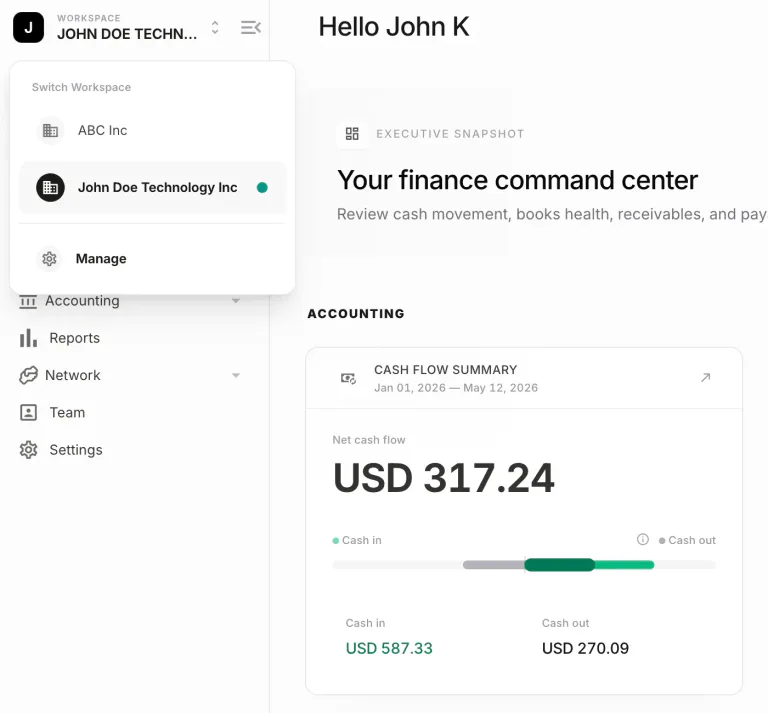
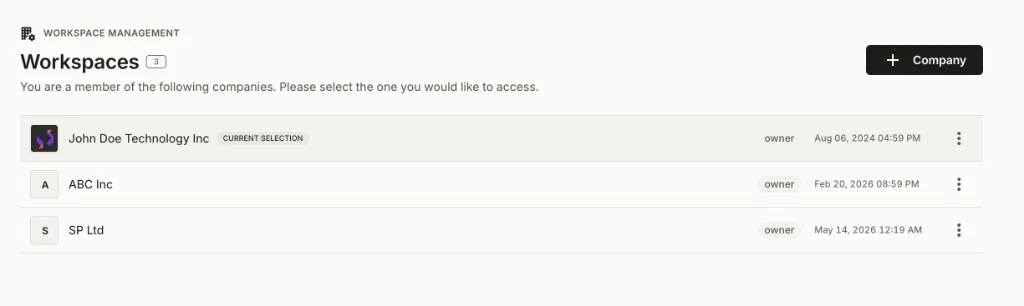
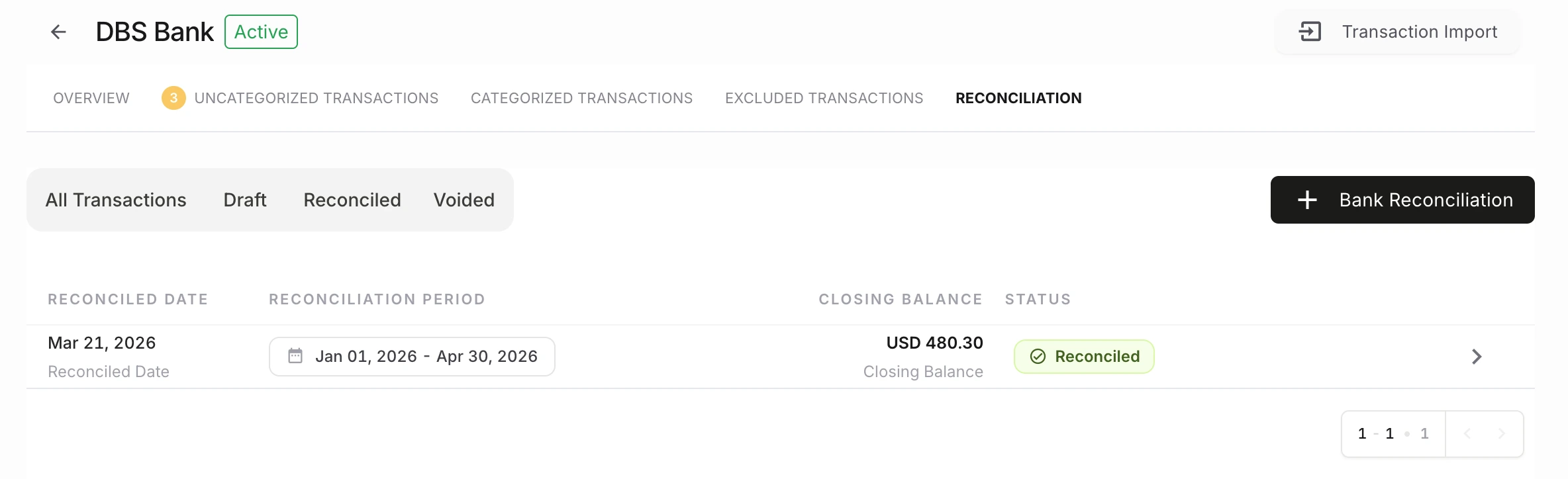
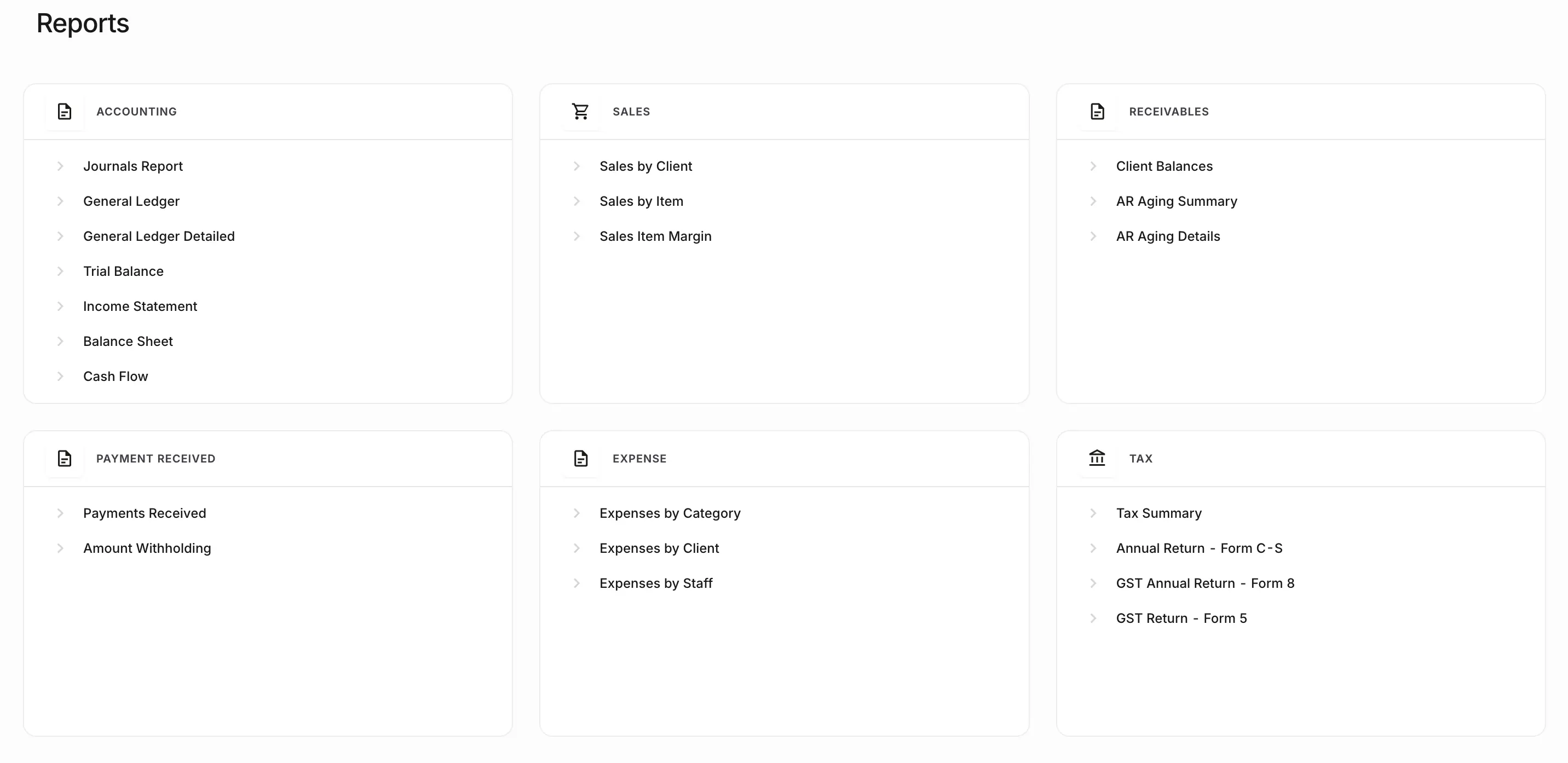
Standardisation makes status comparable across a portfolio. It does not collapse client context or remove professional judgement.
Record invoices, bills, journals, and reconciliations in the client’s own ledger, with multi-currency support where the engagement needs it.
Route material items to the responsible reviewer. Keep comments, ownership, and the accounting outcome attached to the work.
Standardise the path from exceptions to approval, period control, and reporting—applied separately to each client book, from the same records just reviewed.
See what the controls change for partners, managers, and staff across each client workflow.
Staff can move between engagements without mixing ledgers, settings, or reporting periods.
Software for multiple clientsRoles decide who can prepare, review, approve, or only view work in each workspace.
Team permissionsBills, expenses, journals, and sensitive changes keep a visible owner, decision, and record history.
Approvals and audit controlsMatching and exception handling stay inside the client book the rest of the close depends on.
Bank reconciliationPartners can see which closes are ready, blocked, or waiting on review without a parallel spreadsheet.
Month-end close softwareFinancial reports are produced from the same double-entry records the team just approved.
Financial reportingProducts can appear similar while supporting different operating needs. Compare what each product owns before choosing a path.
Adjacent
Organises proposals, jobs, time, billing, and internal capacity.
Firm administration. It does not keep the client’s books.
Adjacent
A business logs in to keep one company’s books.
Designed for one business rather than firm-wide oversight across multiple client books.
Accounting softwareThis category
A firm operates many separate client ledgers from one controlled workspace.
This is NewLedger’s primary category.
Adjacent
A software platform embeds a ledger inside its own product.
Headless infrastructure belongs with Paprel, not NewLedger.
Paprel embedded accountingNewLedger fits when a practice runs separate client ledgers, reviews, and month-end from one controlled workspace.
Plan a firm workspaceNot the primary fit for practice-only administration, a single company, or a headless ledger inside another product. Start at finance teams or Paprel.
Keeps books for several clients in separate ledgers
Portfolio view of reviews, work, and close status
Staff switch clients without mixing records
One model for reviews, close, and reporting
Start with the operating model, then explore multi-client workflows and the monthly close rhythm.
How a firm can oversee many client books from one operating layer while keeping every ledger distinct.
Read the operating modelA repeatable path from preparation and reconciliation to review, approval, period control, and reporting.
Read the close workflowIt is multi-client accounting software: one controlled working environment from which a practice operates separate client books, staff access, reviews, month-end close, and financial reports. The firm can see the portfolio; each client still has its own ledger.
Practice management software usually organises proposals, jobs, time, billing, and internal capacity. Accounting software for firms is where transactions, reconciliations, journals, approvals, period close, and reports are recorded. A firm may use both.
No. NewLedger is designed so the firm can navigate and oversee work across clients while each client organisation keeps separate books, permissions, periods, and reports.
Yes. A staged rollout lets the team validate opening balances, permissions, and daily workflows with a selected client group before expanding.
No. Most firms can operate client books from the NewLedger workspace. A branded client experience is relevant when the firm wants clients to work inside an identity the firm controls, and that scope is defined by agreement.
No. Automation can support routine work, including rules, integrations, API access, and MCP-based workflows inside the product. Accountable people retain review and approval responsibility, with activity history around those actions.
No. NewLedger is accounting software for firms and finance teams. Software platforms that need a headless ledger inside another product should evaluate Paprel. NewLedger still offers APIs, integrations, and MCP access as capabilities of the accounting product.
Product information reviewed 31 August 2026. Confirm connector availability and rollout requirements for your firm.
Choose an initial group, validate day-to-day work and opening balances, then expand with clear boundaries around responsibilities and client experience.