
Separate
Many books
Each client keeps a distinct ledger
Invoices, bills, journals, periods, and reports stay inside that client’s organisation. Staff can switch workspaces without combining records.
Operate many separate client ledgers from one controlled workspace. The firm sees the portfolio; each client keeps its own books.
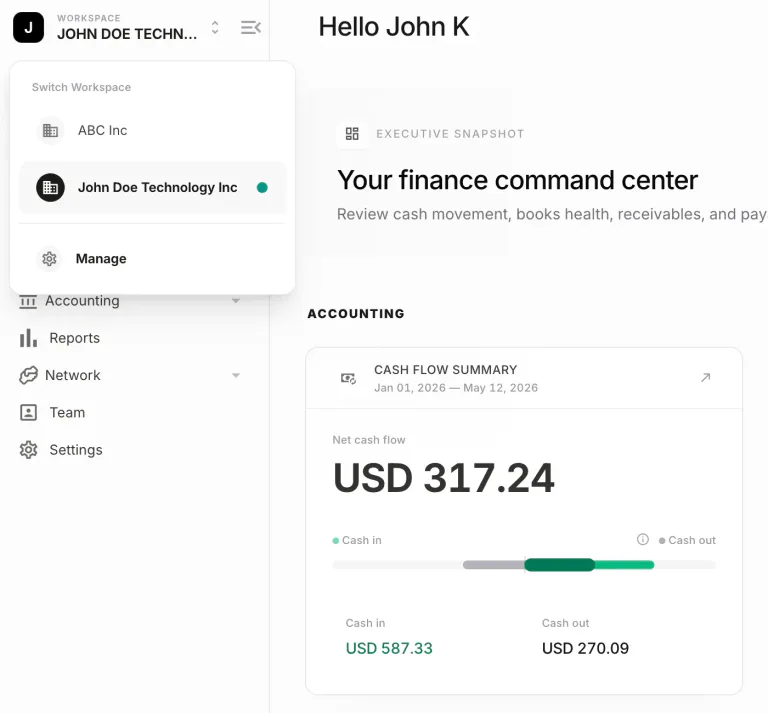
Firms need an operating layer they can work from all day. They also need a hard boundary around every client’s ledger. Software for multiple clients has to hold both, or staff end up in side tools and shared files.
Many books
Invoices, bills, journals, periods, and reports stay inside that client’s organisation. Staff can switch workspaces without combining records.
One firm view
Close readiness, exceptions, and stalled reviews can be scanned without opening every client file as a separate destination app.
Controlled access
Firm staff and client users get roles inside a workspace. Credentials and permissions are not shared across the portfolio.
Shared oversight is useful only if client context stays intact. The operating model is the same; the books are not.
Stays with the client
Each client organisation has its own books, reporting currency, and account structure.
Access is granted per workspace, so a reviewer on one engagement is not automatically inside another.
Close dates, locks, and financial statements belong to the client whose records produced them.
Held by the firm
The same path from preparation to review, approval, close, and reporting can be applied across clients.
The firm’s team can move between engagements without maintaining a separate login for every ledger.
Managers can see which books need review or follow-up without collapsing those books into one dataset.
The sequence is familiar on purpose. What changes is that every step happens inside the client book it belongs to.
Select the client organisation before recording work. The rest of the session stays inside that ledger.
Invoices, bills, journals, and reconciliations post to the client’s own records, including multi-currency where the engagement needs it.
Route material items to the responsible person. Comments and outcomes stay on the work, not in a side channel.
Period control and financial reports are produced from the same books the team just reviewed—then the next client is a workspace switch, not a new product.
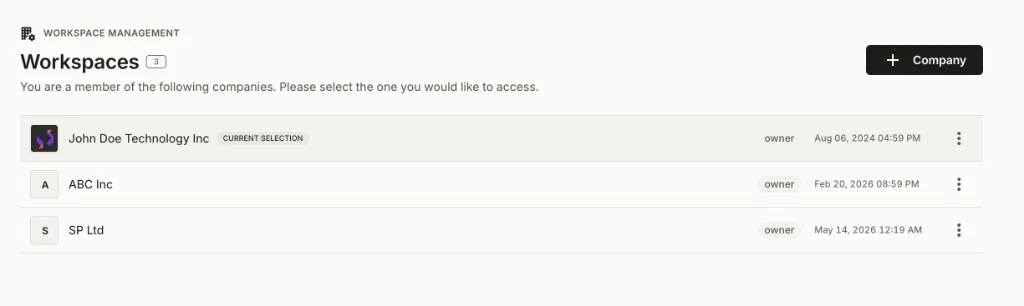
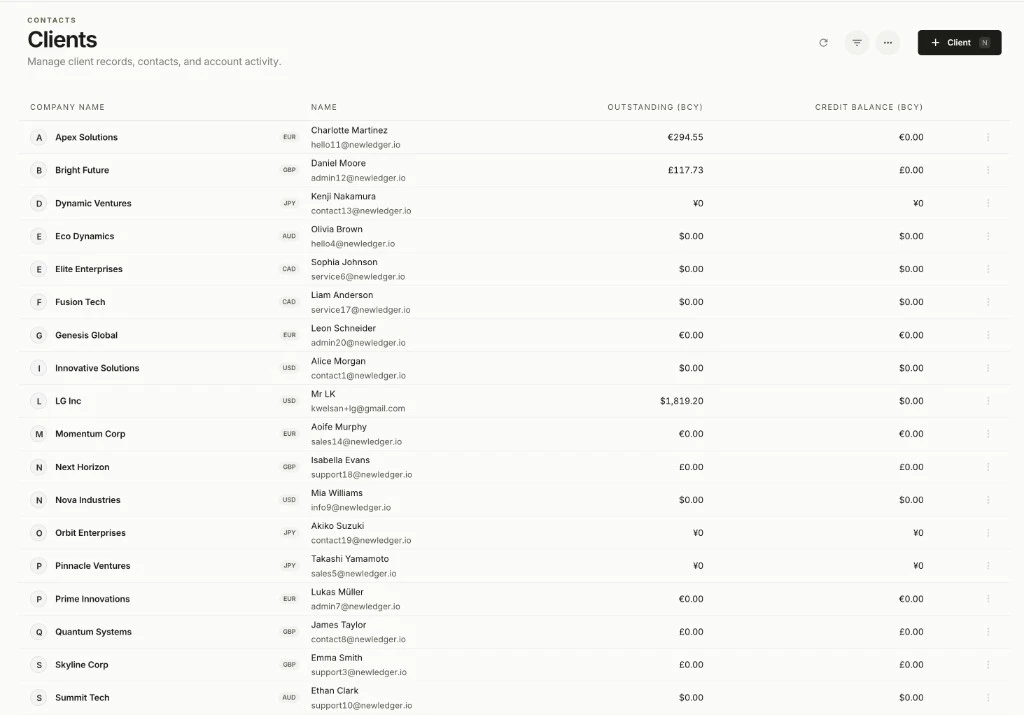
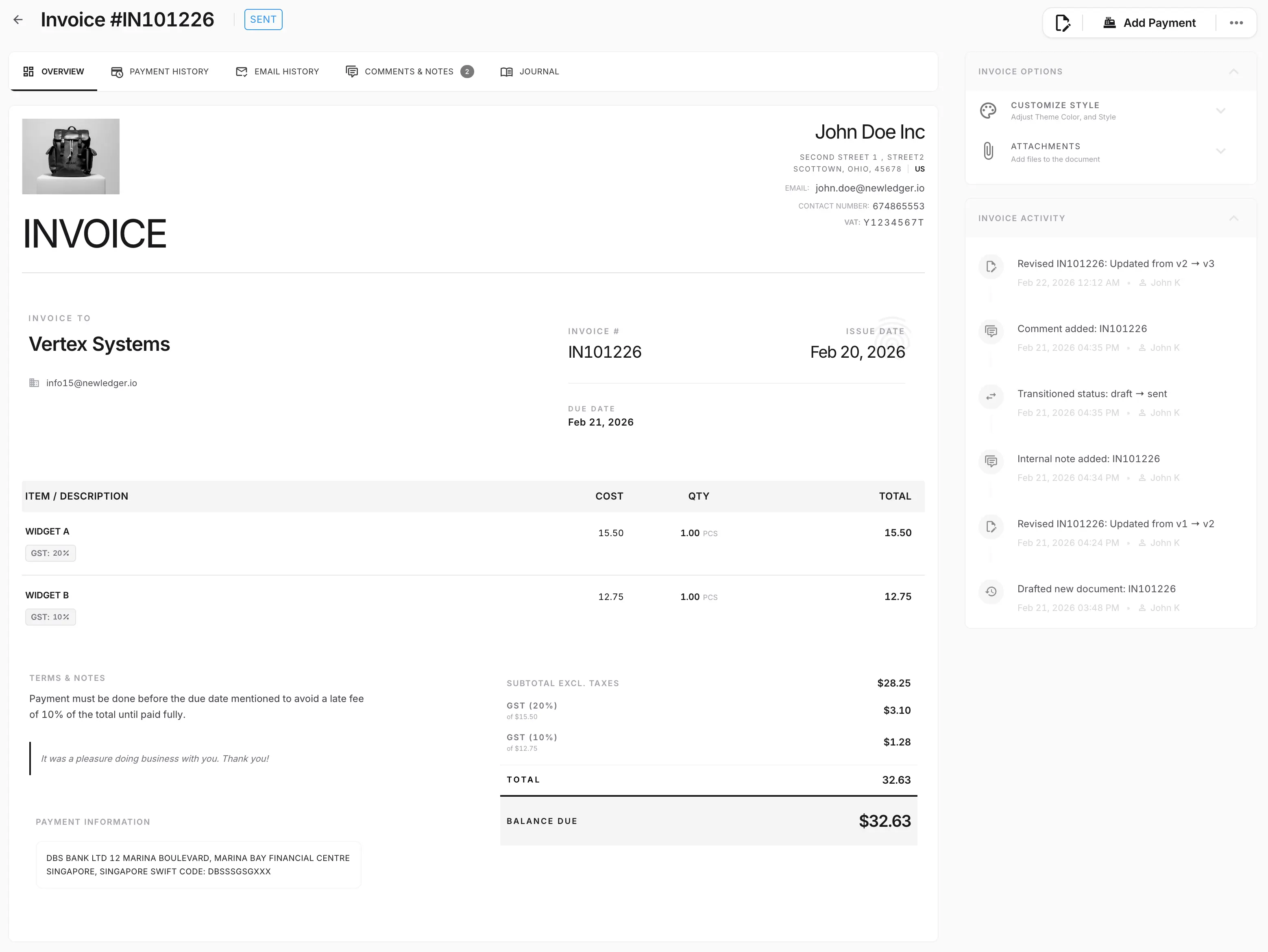
Permissions, reconciliation, reviews, and month-end are not a second product. They attach to the same ledger the firm just switched into.
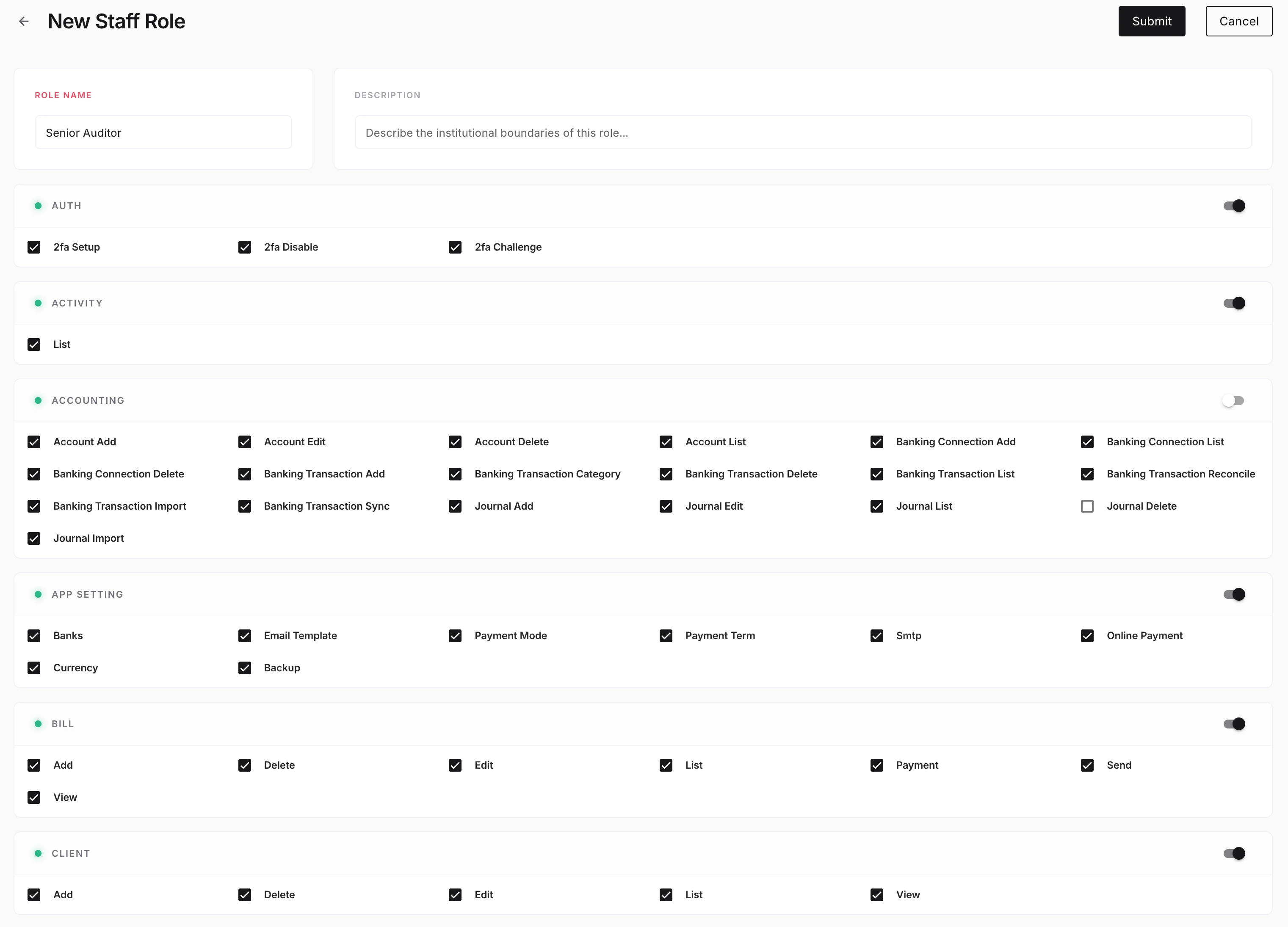
Decide who can prepare, review, approve, or only view work in each client workspace.
Team permissions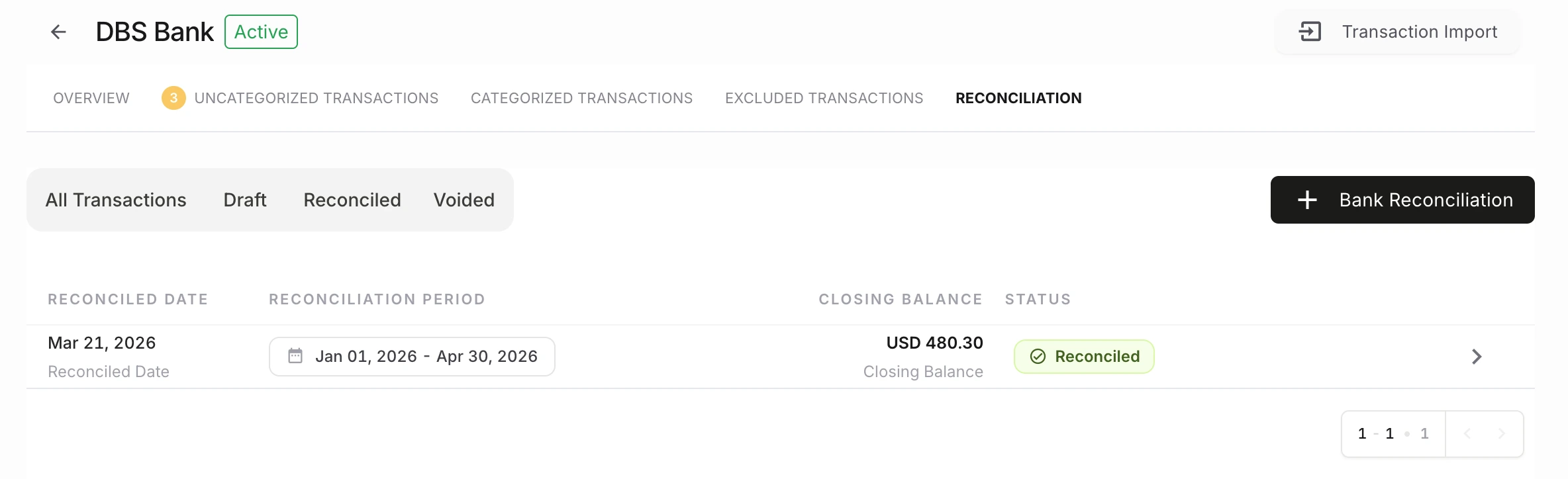
Matching and exceptions stay inside the client book the rest of the close depends on.
Bank reconciliation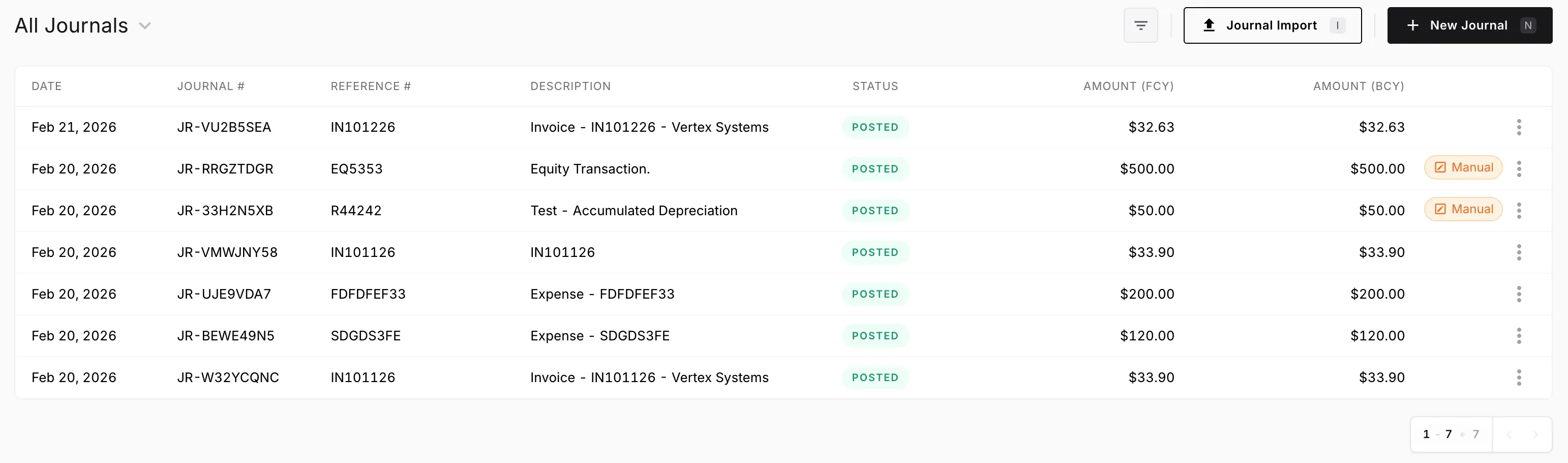
Bills, journals, and sensitive changes keep a visible owner, decision, and record history.
Approvals and audit controls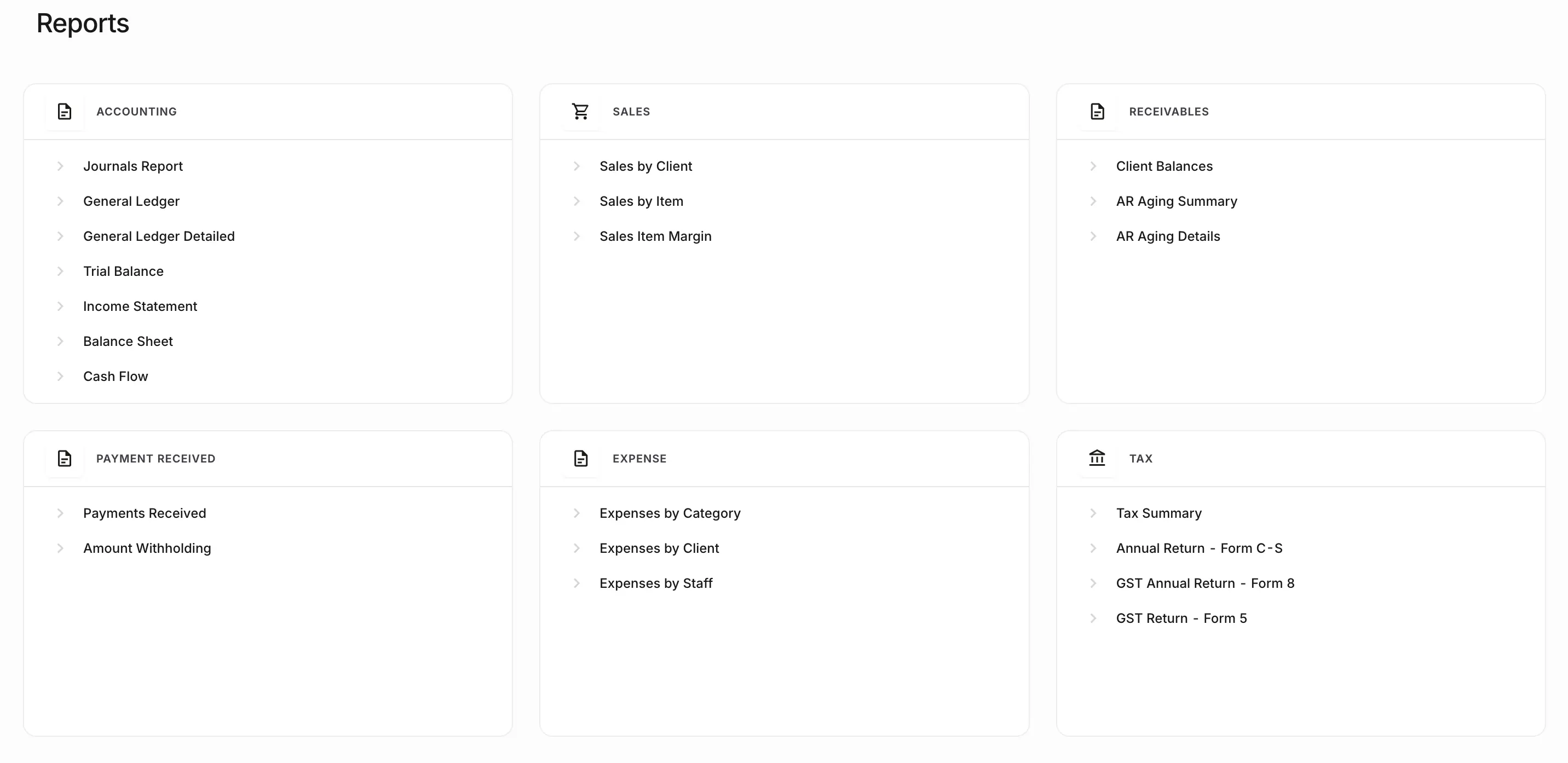
Coordinate preparation, review, approval, period locks, and reporting across the portfolio.
Month-end close softwareNewLedger fits when a firm is the operator of several client ledgers and needs one place to do that work.
Plan a firm workspaceNot the primary fit for practice-only administration, a single company, or a headless ledger inside another product. Start at finance teams or Paprel.
The firm keeps books for several clients or entities
Staff should switch clients without mixing ledgers
Partners need a view of work across the portfolio
Reviews, close, and reporting should follow one model
It is multi-client accounting software: one controlled working environment from which a firm operates separate client books, access, reviews, month-end, and reports. The practice can see the portfolio; each client still has its own ledger.
No. Those products are usually one company per login. Accounting software for multiple clients is built so the firm can move between separate organisations from one operating layer without treating every client as a disconnected destination app.
No. NewLedger is designed so the firm can navigate and oversee work across clients while each client organisation keeps separate books, permissions, periods, and reports.
Practice management software usually organises proposals, jobs, time, billing, and internal capacity. Accounting software for multiple clients is where transactions, reconciliations, journals, approvals, period close, and financial reports are recorded. A firm may use both.
Yes. A staged rollout lets the team validate opening balances, permissions, and daily workflows with a selected client group before expanding.
No. NewLedger is accounting software for firms and finance teams. Software platforms that need a headless ledger inside another product should evaluate Paprel.
Product information reviewed 1 September 2026. Confirm connector availability and rollout requirements for your firm.
Validate opening balances, permissions, and daily work with a small set of clients, then expand without mixing the ledgers you already run.