
01
Polished invoices
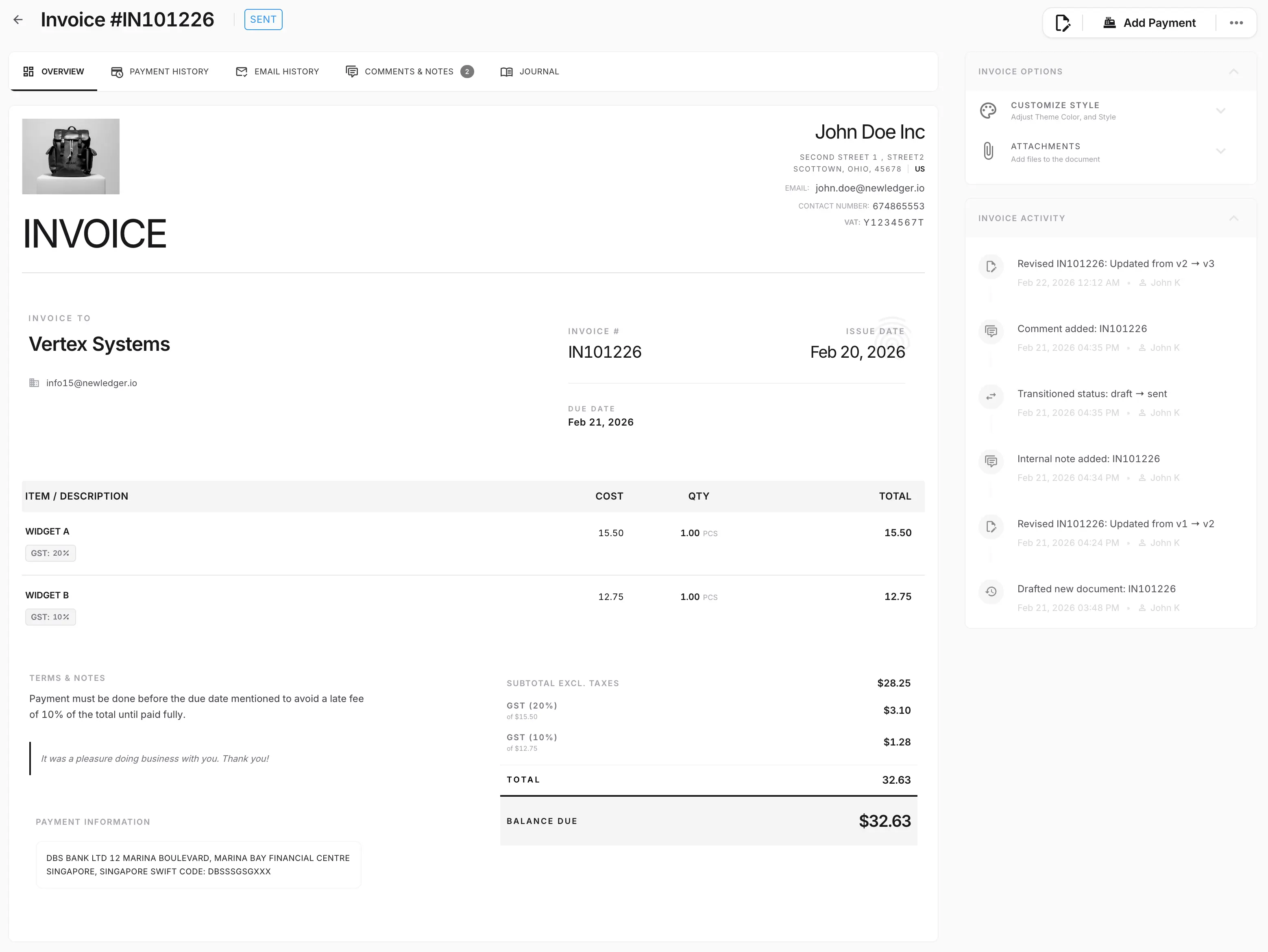
Create professional invoices with customer, tax, discount, attachment, and payment details ready for review.
Create invoices, track payments, and keep every transaction connected to your ledger.
Connected to the ledger
The feature matters because it remains part of the accounting record—not because it creates another isolated task.
Create professional invoices with customer, tax, discount, attachment, and payment details ready for review.
Track open, overdue, paid, and partially paid invoices without reconciling separate spreadsheets.
Keep invoice actions connected to journals, customer balances, reporting, and audit history.
See the workflow, review controls, and accounting outcome in one connected system.
Prepare customer-facing invoices with line items, taxes, notes, attachments, and due-date detail without losing the accounting context behind the document.
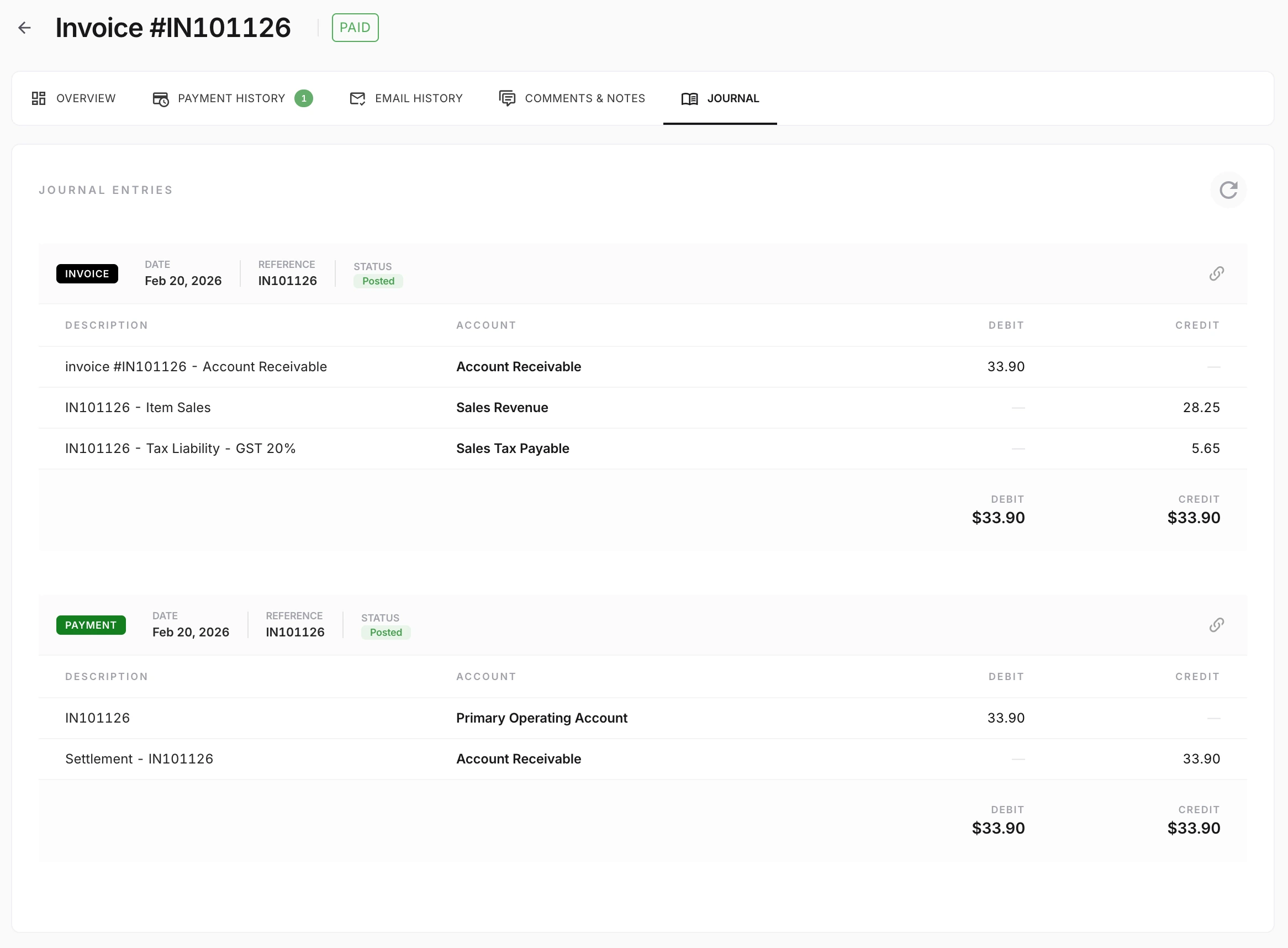
NewLedger keeps the billing workflow tied to its accounting impact, so finance can review the invoice and the resulting journal context without jumping between disconnected systems.
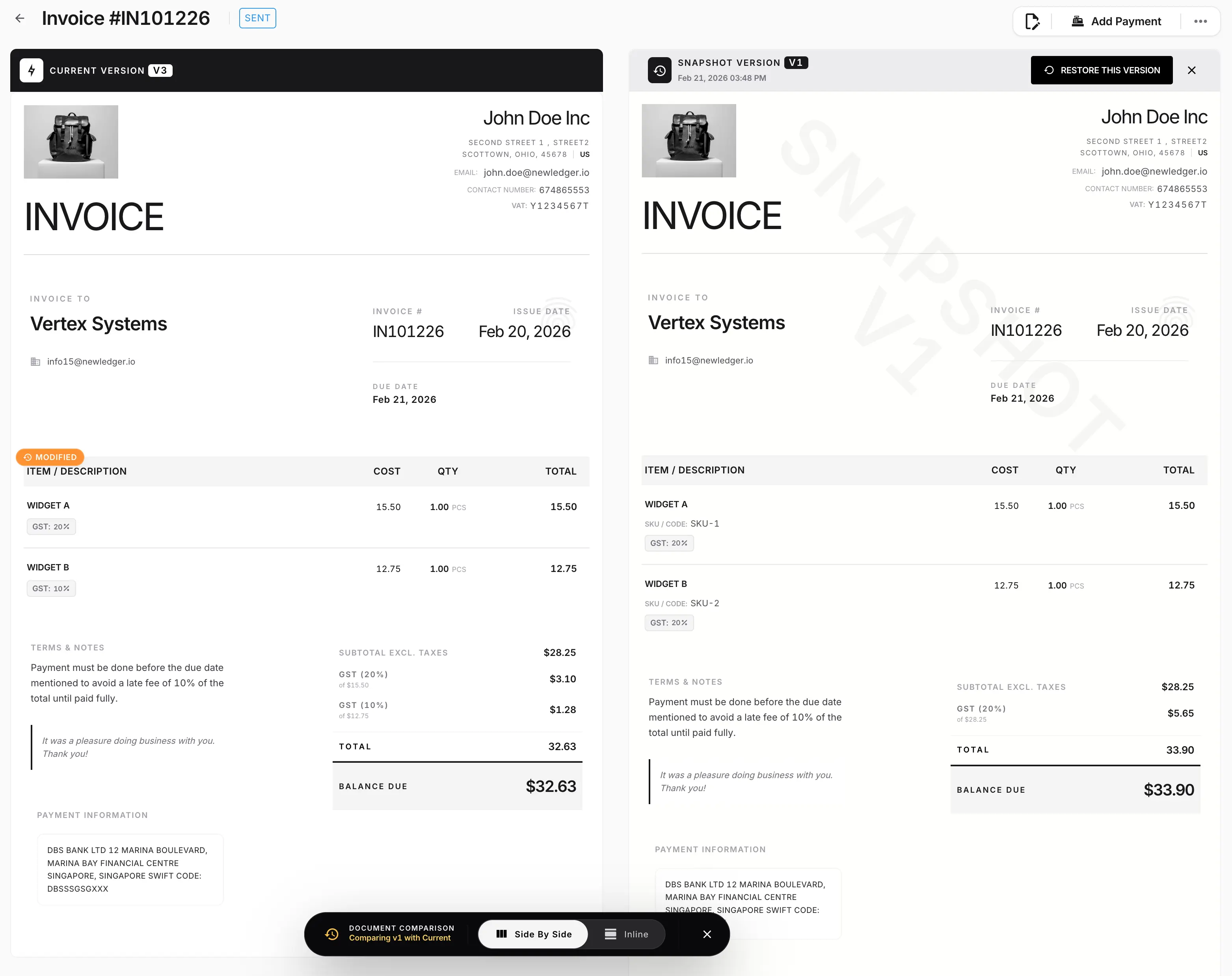
Version-aware comparison helps teams review what changed before sending or approving an updated document, which is especially useful when invoices go through negotiation or internal review.
The workflow should hold up under review, stay connected to the record, and reduce cleanup when finance needs answers quickly.
Customer-ready invoice experience
Connected payment and receivable tracking
Record history for finance review
Evaluate fit before rollout by checking how the workflow connects to records, controls, and reporting.
Yes. The invoicing workflow is designed to cover invoice creation, payment status visibility, receivables tracking, and the accounting record behind each billing action.
Pair billing with spend visibility so finance can review both sides of the operating cycle in one workspace.
Connect invoice collections to bank matching and exception review for a cleaner close process.
Use reporting views that stay closer to billing and payment activity instead of relying on exports.
Follow the guide to choose effective dates and check which rate an invoice uses.
Start with the capability you need now, keep its accounting impact visible, and add the rest of the workflow as your team grows.
Start with one workflowAdopt the capability your team needs first.
Keep the accounting contextReview its effect on the books in the same system.
Expand without rebuildingAdd controls and workflows as the operation grows.