
Organized expense capture
Keep receipts, notes, vendors, categories, taxes, and supporting context attached to the accounting record.
Capture spend, organize supporting details, review billable activity, and keep every expense close to the ledger instead of scattered across tools.
Spend control
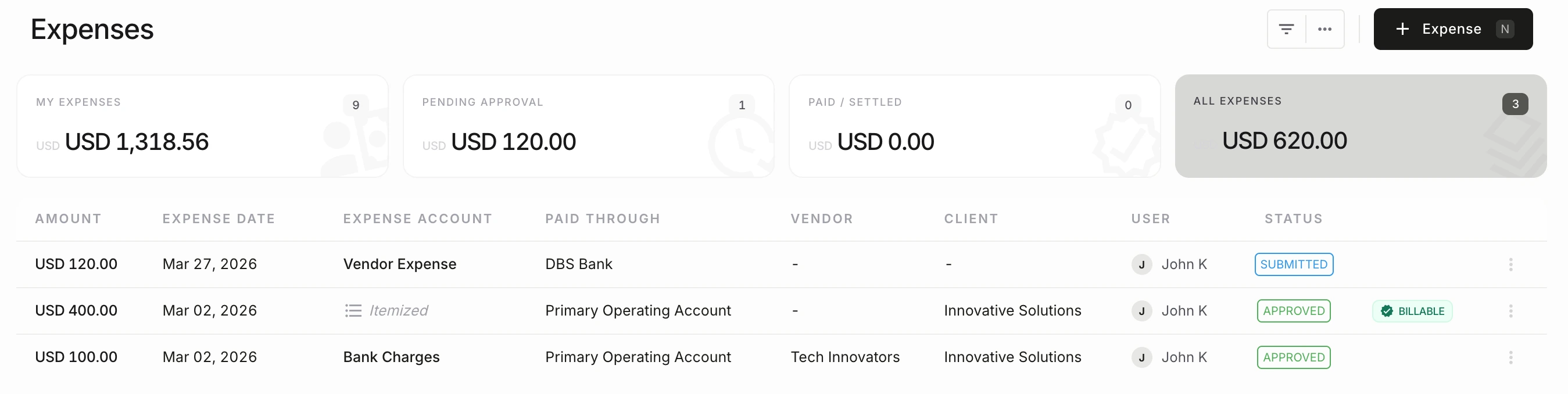
Keep receipts, notes, vendors, categories, taxes, and supporting context attached to the accounting record.
Use cleaner review queues so finance can approve, correct, or bill expenses with less back-and-forth.
Understand spending by category, client, staff, project, or period from the same accounting workspace.
Each feature page should show the real working surface, the controls around it, and the accounting outcome it drives.
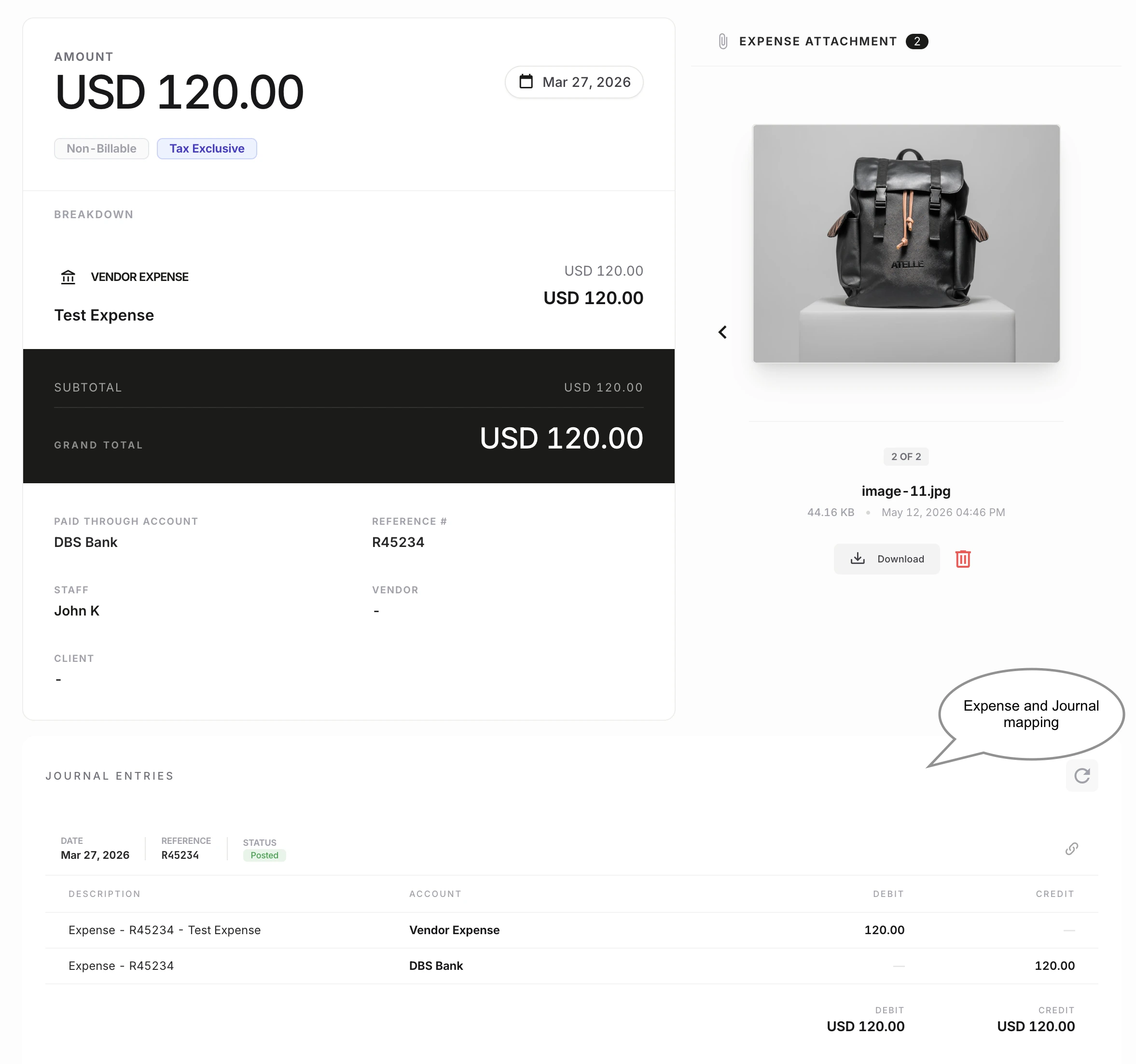
Expense records stay more useful when the supporting document, category decision, vendor detail, and tax context are captured where finance actually reviews them.
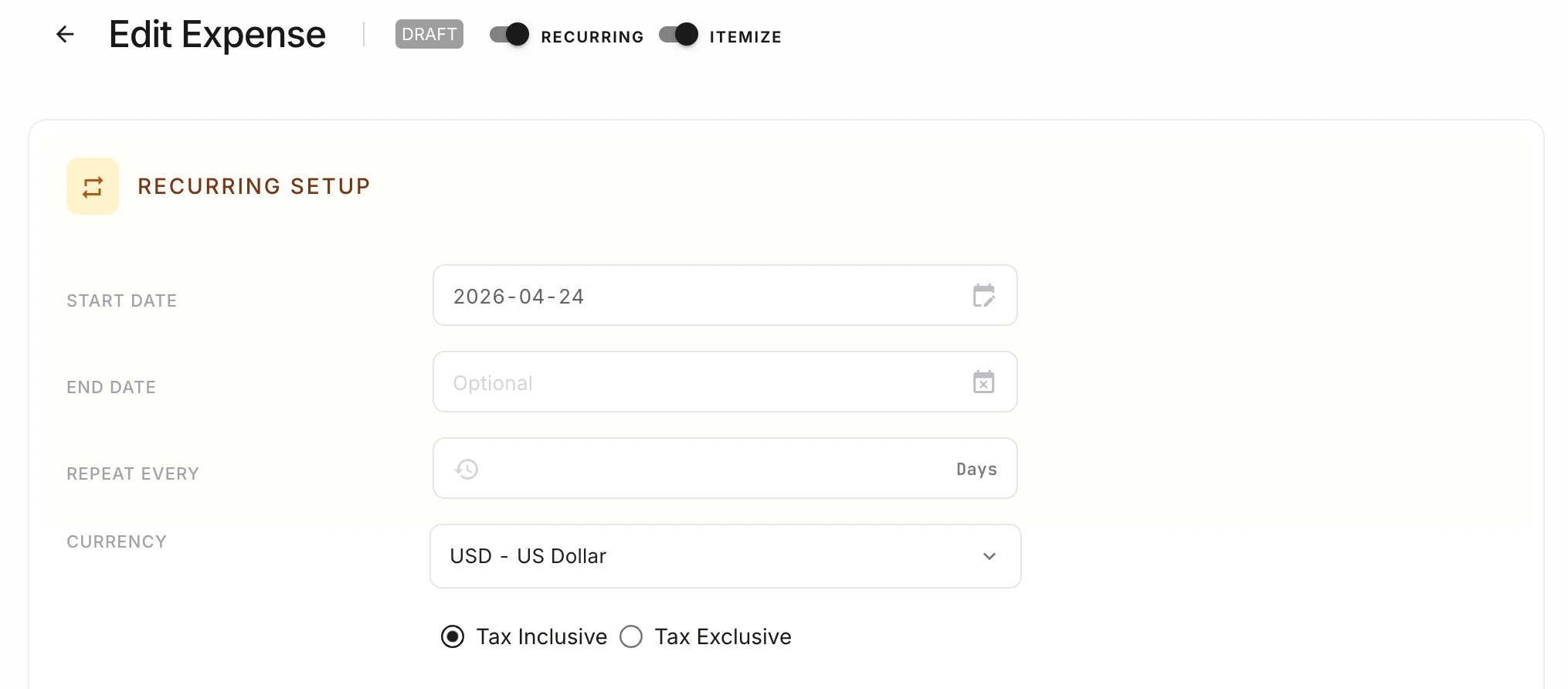
NewLedger supports the expense patterns that create the most monthly friction: recurring items, billable costs, and follow-up work that usually gets rebuilt outside the system.
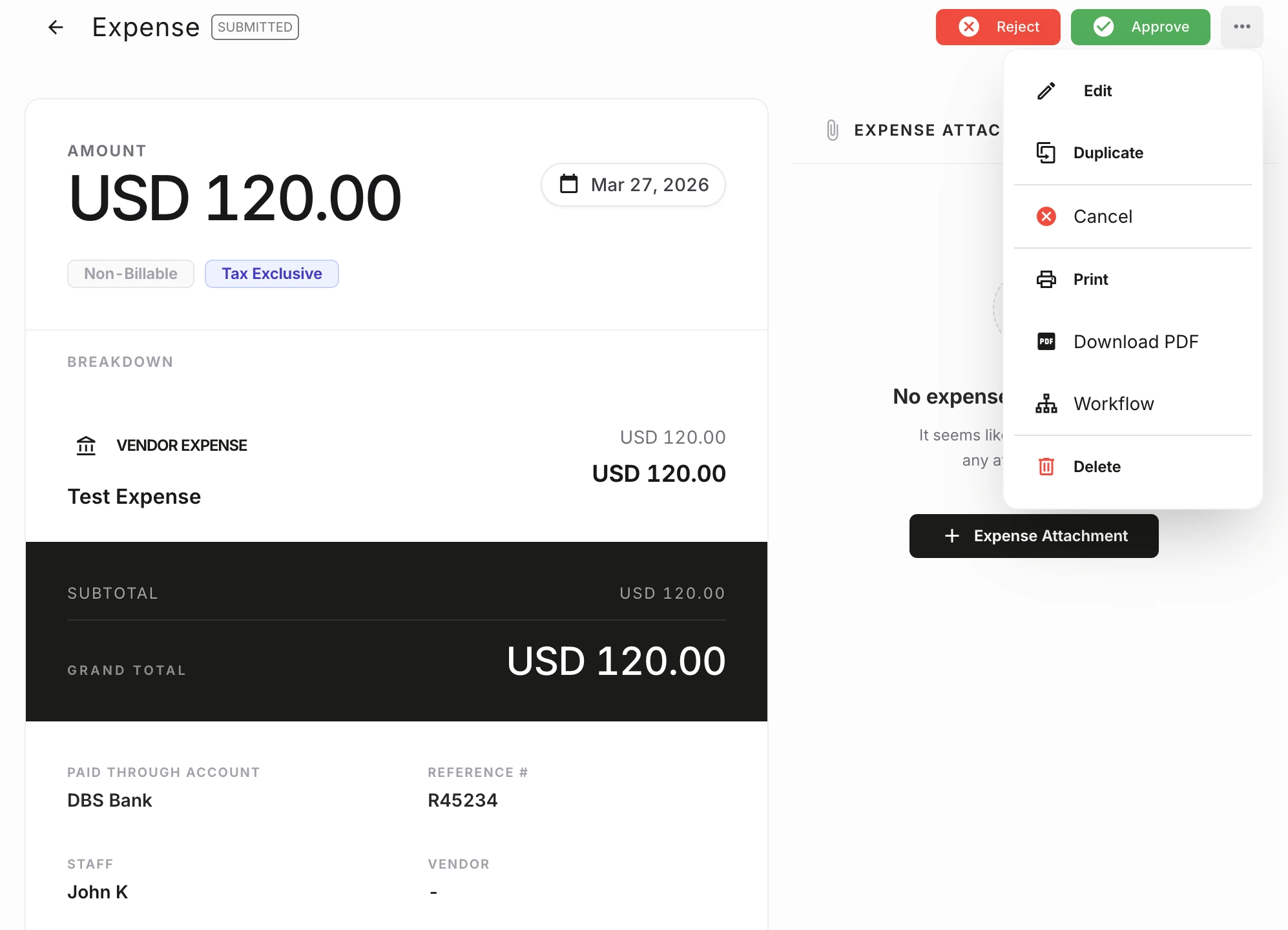
As spend volume grows, teams need more than receipt capture. NewLedger keeps control signals, review status, and accounting context visible so finance can move faster without losing discipline.
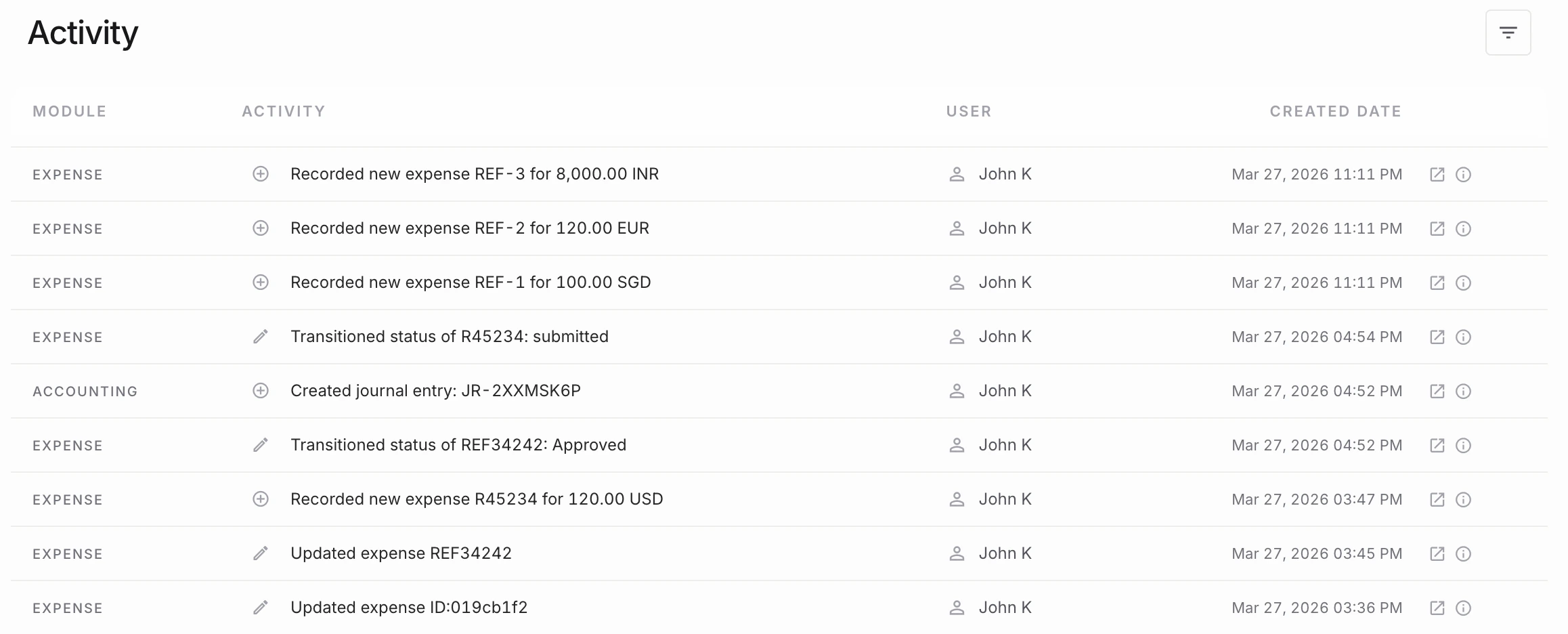
Activity context matters when teams need to understand who updated an expense, what changed, and how the record moved through review over time.
The workflow should hold up under review, stay connected to the record, and reduce cleanup when finance needs answers quickly.
Receipt and category context
Billable and non-billable tracking
Expense reporting by category and client
Evaluate fit before rollout by checking how the workflow connects to records, controls, and reporting.
Yes. Expense records can stay tied to vendors, categories, notes, taxes, and client context so finance can separate internal spend from billable activity more cleanly.
Move routine categorization and transaction review into a steadier month-end rhythm.
Add permissions and review paths when expense volume starts creating control risk.
Keep foreign-currency expenses and exchange-rate context readable for the finance team.
Bring invoicing, bookkeeping, approvals, and reporting into one audit-ready workspace — with guided migration planning before your team changes daily workflow.
Start with QuickBooks, Xero, or Zoho and review rollout, controls, and validation before the team changes systems.
Review Starter, Growth, and Custom options with per-user and client add-ons as your team scales.