
Accounting Webhooks Integration Guide
Build a secure, reliable accounting API integration with NewLedger event types, signature verification, retries, timeouts, and recovery.
NewLedger Editorial
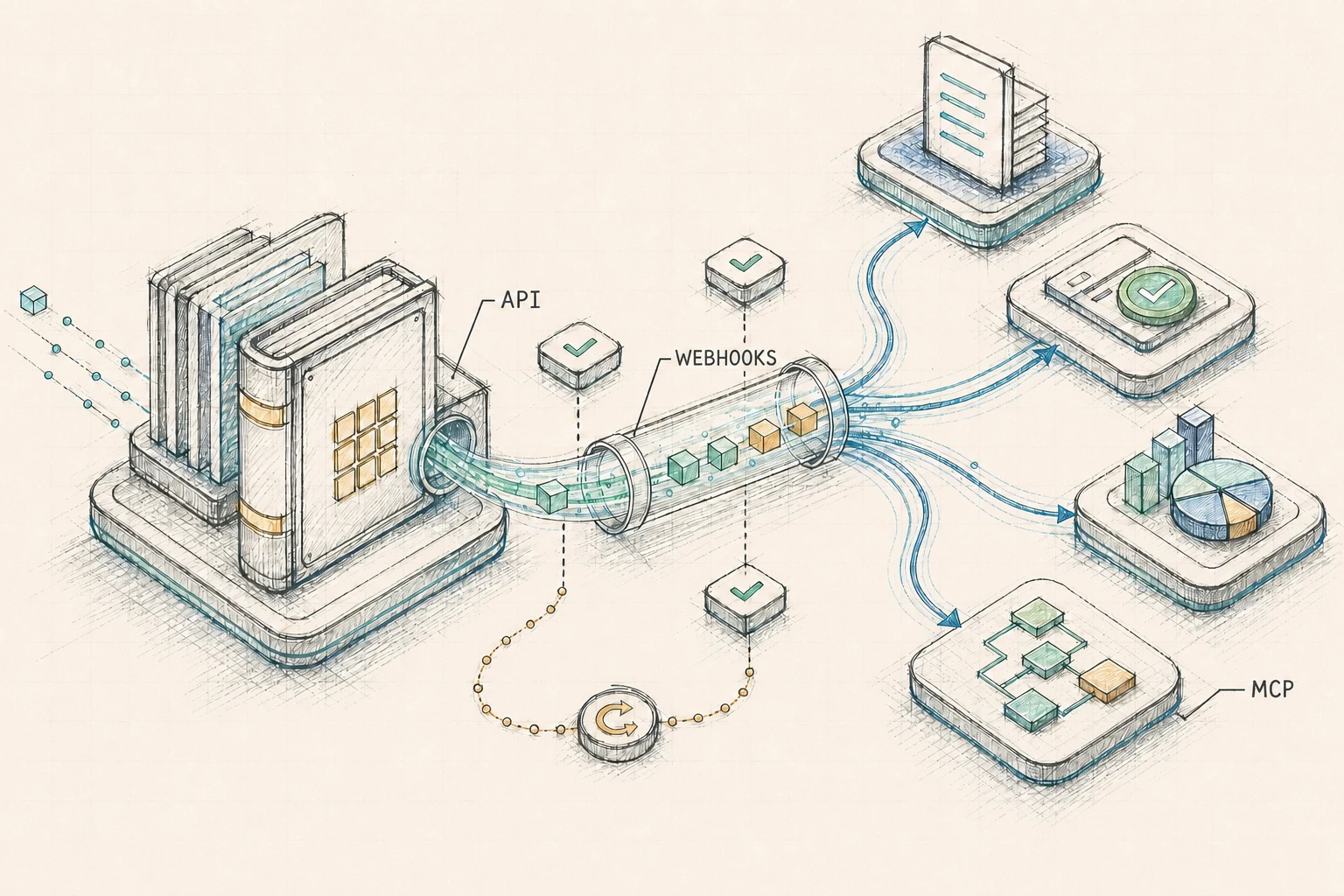
NewLedger webhooks notify your integration when committed accounting data changes. Use them to start a workflow; use the company-scoped API when you need the authoritative resource.
Quick reference
| Contract | Value |
|---|---|
| Acknowledge | Any 2xx response |
| Signature | HMAC-SHA256 |
| Timestamp tolerance | Five minutes |
| Dedupe key | Event id |
| Delivery timeout | 15 seconds |
| Retry schedule | 1m → 10m → 1h → 8h → 24h → 48h |
On this page
- Event envelope
- Receiver flow
- Event catalog
- Signing and verification
- Secret rotation
- Delivery retries
- Timeouts and redirects
- Idempotent processing
- Endpoint health and recovery
- Production checklist
The delivery contract is asynchronous and at least once:
- events can be delivered more than once
- related events can arrive out of order
- unavailable endpoints are retried
- any
2xxresponse acknowledges the delivery - consumers must deduplicate before applying business effects
Event envelope
NewLedger sends a thin notification rather than a full resource snapshot:
{
  "id": "evt_0191a2b3-c4d5-7000-8000-000000000001",
  "type": "sales.invoice.updated",
  "version": "1.0",
  "company_id": "0191a2b3-c4d5-7000-8000-000000000010",
  "actor_id": "0191a2b3-c4d5-7000-8000-000000000030",
  "occurred_at": "2026-08-18T08:15:00.123Z",
  "resource": {
    "id": "0191a2b3-c4d5-7000-8000-000000000020",
    "type": "invoice"
  }
}
| Field | Purpose |
|---|---|
id | Immutable event identity; use this for deduplication |
type | Stable accounting event name |
version | Envelope contract version |
company_id | Company that owns the resource |
actor_id | Initiating actor when known |
occurred_at | Time the accounting change committed |
resource | Public resource type and ID to retrieve through the API |
The notification is immutable. The referenced resource can change again before your integration retrieves it.
Receiver flow
Your endpoint receives and verifies the signed notification, persists its event ID for deduplication, and acknowledges it. Processing then follows one of two paths:
- Hydratable resource: retrieve the latest state when the NewLedger API documentation provides a corresponding read operation.
- Notification-only event: use the verified event as a signal. Payment and credit-note application events identify a
document_payment, not its parent document, and cannot be hydrated by ID in v1. Also subscribe to the corresponding*.status.changedevent when you need document state, or reconcile through the relevant list API.
Event ID + resource reference
Raw body, signature, timestamp
Hydrate supported resources or use the notification
Process asynchronously and idempotently
2xx after the signed notification has been accepted. How your system schedules and executes the resulting work is up to you.Return 2xx after durably accepting a valid notification. Hydration and business processing should run asynchronously. Use the immutable event ID to ensure a repeated delivery does not repeat the same business effect.
Event catalog
Event names follow <domain>.<resource>[.<subresource>].<action>. Subscriptions contain explicit event names, so future catalog additions do not silently expand an existing endpoint's access.
| Group | Events |
|---|---|
| Accounting · Account | accounting.account.createdaccounting.account.updatedaccounting.account.archivedaccounting.account.restoredaccounting.account.deleted |
| Accounting · Journal | accounting.journal.createdaccounting.journal.updatedaccounting.journal.postedaccounting.journal.voidedaccounting.journal.deleted |
| Contacts · Client | contacts.client.createdcontacts.client.updatedcontacts.client.deleted |
| Contacts · Vendor | contacts.vendor.createdcontacts.vendor.updatedcontacts.vendor.deleted |
| Sales · Invoice | sales.invoice.createdsales.invoice.updatedsales.invoice.status.changedsales.invoice.payment.recordedsales.invoice.payment.reversed |
| Purchases · Bill | purchases.bill.createdpurchases.bill.updatedpurchases.bill.status.changedpurchases.bill.payment.recordedpurchases.bill.payment.reversed |
| Sales · Credit note | sales.credit_note.createdsales.credit_note.updatedsales.credit_note.status.changedsales.credit_note.appliedsales.credit_note.application_reversed |
| Expenses · Expense | expenses.expense.createdexpenses.expense.updatedexpenses.expense.deletedexpenses.expense.status.changed |
| Items · Item | items.item.createditems.item.updateditems.item.deleted |
| Company · Profile | company.profile.updatedcompany.profile.deletedcompany.status.changedcompany.logo.updatedcompany.logo.deleted |
| Company · User | company.user.createdcompany.user.updatedcompany.user.status.changedcompany.user.role.changedcompany.user.deleted |
| Settings · Currency | settings.currency.createdsettings.currency.deleted |
| Settings · Payment term | settings.payment_term.createdsettings.payment_term.updatedsettings.payment_term.deleted |
| Settings · Payment mode | settings.payment_mode.createdsettings.payment_mode.updatedsettings.payment_mode.deleted |
| Settings · Email template | settings.email_template.updated |
| Settings · SMTP | settings.smtp.updatedsettings.smtp.deleted |
| Settings · Payment gateway | settings.payment_gateway.createdsettings.payment_gateway.updatedsettings.payment_gateway.deleted |
An invoice change and its accounting journal posting are separate commits. Subscribe to the business transitions you use rather than infer one event from another.
Endpoint verification event
The 62 names above are subscribable business events. Endpoint activation also sends a required, non-catalog event with type: "webhook.endpoint.verification" and resource.type: "webhook_endpoint".
Verify it with the same raw-body HMAC headers and return 2xx. Do not reject it with a business-event allowlist, and do not run a business workflow for it. Otherwise the endpoint remains in pending_verification.
Signing and verification
Each endpoint has its own signing secret, separate from App Connect authentication. Review API credentials versus OAuth 2.0 when choosing how the receiver will authenticate its follow-up API request. NewLedger signs the timestamp plus the exact raw request body with HMAC-SHA256.
signed_payload = timestamp + "." + raw_body
signature      = HMAC-SHA256(endpoint_secret, signed_payload)
| Header | Value |
|---|---|
Webhook-Signature | t=<unix-seconds>;v1=<lowercase-hex> |
Webhook-Event-Id | Immutable event ID |
Webhook-Delivery-Attempt | Attempt number |
User-Agent | Partner identity, for example NewLedger-Webhooks/1.0 |
Verify requests in this order:
- Capture the body before JSON middleware transforms it.
- Parse the timestamp and one or more
v1signatures. - Reject a timestamp outside the five-minute tolerance.
- Calculate HMAC-SHA256 over
timestamp + "." + raw_body. - Compare the expected and supplied values in constant time.
- Parse the event and store its ID only after verification succeeds.
Complete Node.js and TypeScript receiver
This Express example preserves the raw bytes, accepts either trusted secret during rotation, compares signatures in constant time, durably accepts the event, and returns before hydration or business processing. Configure express.raw before any JSON parser for this route.
import express, { type Request, type Response } from "express";
import { createHmac, timingSafeEqual } from "node:crypto";

const app = express();
const trustedSecrets = [
  process.env.WEBHOOK_SECRET_CURRENT,
  process.env.WEBHOOK_SECRET_PREVIOUS,
].filter((secret): secret is string => Boolean(secret));

function verifyWebhook(rawBody: Buffer, header: string): boolean {
  const parts = header.split(";").map((part) => part.trim());
  const timestamp = parts.find((part) => part.startsWith("t="))?.slice(2);
  const supplied = parts
    .filter((part) => part.startsWith("v1="))
    .map((part) => part.slice(3));

  if (!timestamp || !/^\d+$/.test(timestamp) || supplied.length === 0) return false;
  if (Math.abs(Math.floor(Date.now() / 1000) - Number(timestamp)) > 300) return false;

  const signedPayload = Buffer.concat([
    Buffer.from(`${timestamp}.`, "utf8"),
    rawBody,
  ]);

  return trustedSecrets.some((secret) => {
    const expected = createHmac("sha256", secret)
      .update(signedPayload)
      .digest();

    return supplied.some((hex) => {
      if (!/^[0-9a-f]{64}$/i.test(hex)) return false;
      const actual = Buffer.from(hex, "hex");
      return actual.length === expected.length && timingSafeEqual(actual, expected);
    });
  });
}

type WebhookEvent = { id: string; type: string };

async function persistForProcessing(event: WebhookEvent): Promise<void> {
  // Insert event.id with a unique constraint and enqueue the event atomically.
  // A worker—not this request—hydrates available resources and runs workflows.
  console.log(event);
}

app.post(
  "/webhooks/newledger",
  express.raw({ type: "application/json" }),
  async (req: Request, res: Response) => {
    const signature = req.get("Webhook-Signature");
    if (!signature || !verifyWebhook(req.body, signature)) {
      return res.status(401).send("Invalid signature");
    }

    const event = JSON.parse(req.body.toString("utf8")) as WebhookEvent;

    if (event.type === "webhook.endpoint.verification") {
      return res.sendStatus(204);
    }

    // Keep this durable handoff short; never hydrate or run business logic here.
    await persistForProcessing(event);
    return res.sendStatus(204);
  },
);
Rotate a signing secret without interrupting delivery
NewLedger keeps the previous secret usable for 24 hours through dual-signing. It does not choose one secret or the other: during the overlap, every production delivery is signed by both.
Webhook-Signature: t=<unix-seconds>;v1=<current-signature>;v1=<previous-signature>
Both signatures use the same timestamp and exact raw request body. The receiver calculates the expected signature with each secret it currently trusts and accepts the request when either supplied v1 value matches.
| Rotation behavior | What it means |
|---|---|
| New secret becomes current | Use it for all new receiver deployments immediately |
| Previous secret remains valid for 24 hours | Existing deployments can continue verifying deliveries during rollout |
| At most two secrets are active | Rotating again replaces the previous secret and starts a new 24-hour window |
| Secret reveal returns the current secret only | Keep the previous value in your secret manager until the overlap ends |
| Previous secret expires automatically | After 24 hours, deliveries contain only the current signature |
| Endpoint verification uses the current secret | Test new endpoint configuration with the newly rotated value |
Recommended rollout:
- Rotate the endpoint secret and save the new value immediately.
- Add the new secret to the receiver while retaining the previous secret.
- Deploy verification that checks both trusted secrets.
- Confirm live requests verify with the current signature.
- Remove the previous secret after the 24-hour overlap.
Delivery retries
NewLedger makes one immediate attempt followed by up to six automatic retries. Each delay is measured from the preceding failed attempt and receives independent jitter.
Immediate → 1 min → 10 min → 1 hr → 8 hr → 24 hr → 48 hr
| Result | Delivery behavior |
|---|---|
| Network failure | Retry |
408, 425, 429 | Retry |
5xx | Retry |
Other 4xx | Terminal failure |
Any 2xx | Acknowledged |
A valid Retry-After response on 429 is honored within the remaining retry and retention window. Every retry retains the original event ID and stored payload while incrementing Webhook-Delivery-Attempt.
Timeouts and redirects
| Request | Connection timeout | Total timeout | Redirects |
|---|---|---|---|
| Production delivery | 5 seconds | 15 seconds | Disabled |
| Endpoint verification | 3 seconds | 5 seconds | Disabled |
Manage endpoints under Settings → Webhooks. Endpoint verification uses the same signed request path and HMAC headers as production delivery, but sends the distinct webhook.endpoint.verification event. Creating an endpoint places it in pending_verification; a 2xx response activates it. Changing the URL requires verification again.
Idempotent processing
Event deduplication protects the receiver. Each downstream action should also have an idempotency key so a repeated delivery cannot repeat the outcome.
evt_123:activate_subscription
evt_123:notify_account_owner
evt_123:refresh_revenue_projection
Use a database uniqueness constraint or pass the key to a downstream API that supports idempotency. Do not rely on an in-memory cache.
| Workflow | Out-of-order strategy |
|---|---|
| Dashboard, CRM mirror, current status | Fetch the latest resource from the API |
| Payment or application event | Treat as notification-only; pair with *.status.changed or reconcile through list APIs |
| Transition-specific automation | Handle each event type separately and idempotently; do not infer ordering from a resource version |
Endpoint health and recovery
Delivery history keeps the immutable request payload and attempt diagnostics. A manual resend creates a new delivery record; it does not rewrite history.
After three separate events exhaust their retry schedules without an intervening success, the endpoint pauses. A successful event resets that consecutive-exhaustion count.
Resuming enables new subscribed events. It does not backfill the paused period. Recover by reconciling against company-scoped resource APIs or ledger exports, then resume live delivery.
Production checklist
- Verify the raw body before parsing JSON
- Enforce the five-minute timestamp tolerance
- Store endpoint secrets outside source control
- Add a unique constraint for the event ID
- Return
2xxafter accepting a valid notification - Accept
webhook.endpoint.verificationwithout running a business workflow - Move hydration and business processing outside the request path
- Make each business effect idempotent
- Tolerate out-of-order delivery
- Monitor failed processing, exhausted delivery retries, and paused endpoints
- Test duplicate, delayed, reordered, and replayed events
- Document the reconciliation procedure
For embedded deployments, the same webhook contract can sit behind a white-label accounting platform without exposing implementation-specific headers to customers.