
API Credentials vs OAuth 2.0 in NewLedger
Which App Connect path should you use for server-side integrations, partner apps, and user-approved MCP clients?

NewLedger Editorial
If you are integrating with NewLedger, the first architecture decision is simple:
- Use API credentials when your server is the thing connecting and you can store a
client_secretsafely. - Use OAuth 2.0 when a user needs to approve access in the browser and the client should receive delegated access instead of your stored secret.
The confusion usually comes from the fact that both live under App Connect, both issue scoped bearer tokens, and both can power serious production workflows. The difference is the trust model.
In a finance system, that trust model matters. The authentication pattern you choose determines whether secrets stay on your backend, whether a user must approve the connection explicitly, and whether audit and revocation remain straightforward when something changes.
The short answer
| If your integration looks like this... | Use this |
|---|---|
| A backend job, ETL worker, partner sync, internal ops tool, or server-side automation you control | API credentials |
| A browser-based app, partner product, or AI client that needs the user to sign in and approve scope | OAuth 2.0 |
| An AI assistant or MCP client using your company MCP URL | OAuth 2.0 |
| A daemon or cron job with no interactive user at connect time | API credentials |
What API credentials are for
API credentials are the server-to-server path.
You create an app under Settings → App Connect → API Credentials, delegate the permissions it needs, copy the client_id and client_secret, and exchange them for short-lived bearer tokens from your backend.
This is usually the right choice when:
- You control the integration runtime
- You have a secrets manager or vault
- You do not need a browser redirect or consent screen
- The integration should keep running without a person re-approving each sync
Typical examples:
- Nightly revenue sync into a warehouse
- Internal invoice-drafting automation
- ERP, CRM, payroll, or payments reconciliation jobs
- Partner backends that call NewLedger on behalf of a tenant under a pre-arranged setup
What OAuth 2.0 is for
OAuth 2.0 is the delegated-access path.
Instead of handing a client your stored secret, you send the user through NewLedger's sign-in and consent flow. The user chooses the company, reviews the requested permissions, confirms with 2FA, and then the client receives access within that approved scope.
This is usually the right choice when:
- The client is user-facing
- The connection starts from another product or browser flow
- You need a redirect URI
- The app should only work after explicit user consent
- The client is public and should use PKCE
Typical examples:
- Claude or another MCP-capable AI client
- A custom partner portal that lets the user connect their NewLedger workspace
- A public integration that cannot safely hold a shared long-lived secret on-device
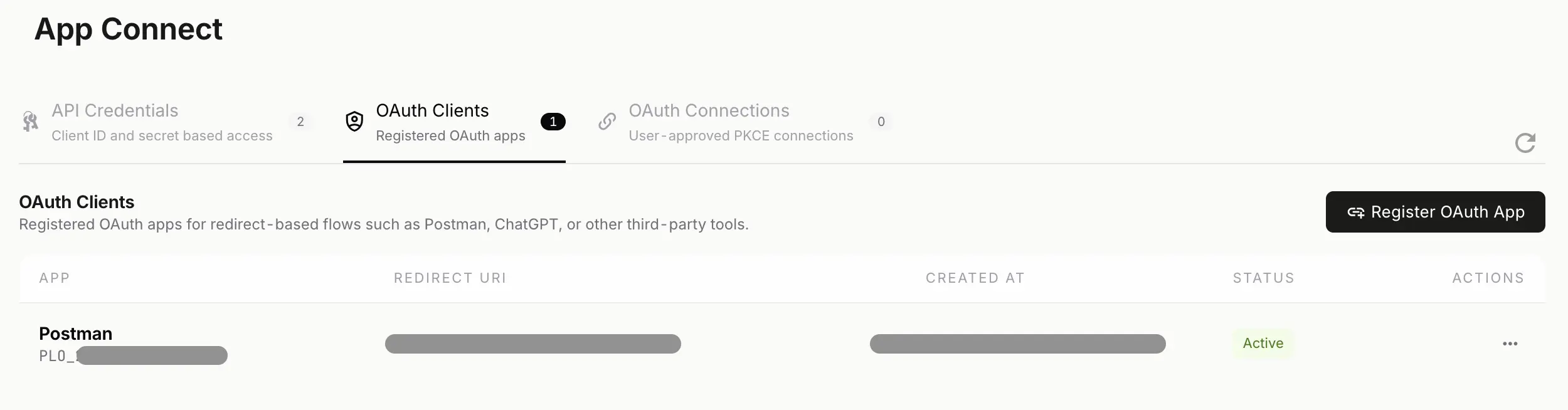
OAuth 2.0 is the right path when the user needs to see the app, review scope, and approve access explicitly.
The decision rule we recommend
Ask one question:
"Does this connection need a person to approve access in the browser?"
If no, start with API credentials.
If yes, use OAuth 2.0.
That rule is more reliable than asking whether the integration is "advanced," "AI-powered," or "third-party." Plenty of sophisticated integrations should still use API credentials. Plenty of lightweight ones need OAuth because the user must approve them directly.
Why security teams care about this split
This is not security theater. The distinction changes real control boundaries:
- API credentials keep shared secrets on infrastructure you operate and keep the browser out of the token exchange path.
- OAuth 2.0 makes the approval visible to the user, which is critical when the client is third-party, user-facing, or initiated outside your own backend.
- Both let you apply least privilege, but they do it at different moments: delegated at app creation for API credentials, reviewed at consent time for OAuth.
- Both are easier to govern when finance keeps a named owner, a documented purpose, and a clear revocation path for every connection.
How this maps to MCP and AI assistants
MCP is not a separate auth model. It is one of the clients that uses NewLedger's OAuth 2.0 consent flow.
So if the use case is:
- "Connect an AI assistant to our books"
- "Paste the company MCP URL into an AI client"
- "Approve scopes and let the assistant read reports or draft entries"
then the right answer is OAuth 2.0, not API credentials.
For the full walkthrough, see MCP for accounting.
Using a specific assistant? See the setup guides for Claude and Microsoft Copilot.
Security differences that matter
| Topic | API credentials | OAuth 2.0 |
|---|---|---|
| Secret storage | Your backend stores the client_secret | Public clients use PKCE and do not rely on a shared long-lived secret |
| Browser consent | No | Yes |
| Redirect URI | No | Yes |
| Best fit | System-to-system automation | Delegated user-approved access |
| Revocation path | Revoke or rotate the app credential | Delete the OAuth connection or revoke the client |
Both approaches still use:
- Scoped permissions
- App Connect visibility
- Audit history
- Short-lived access tokens
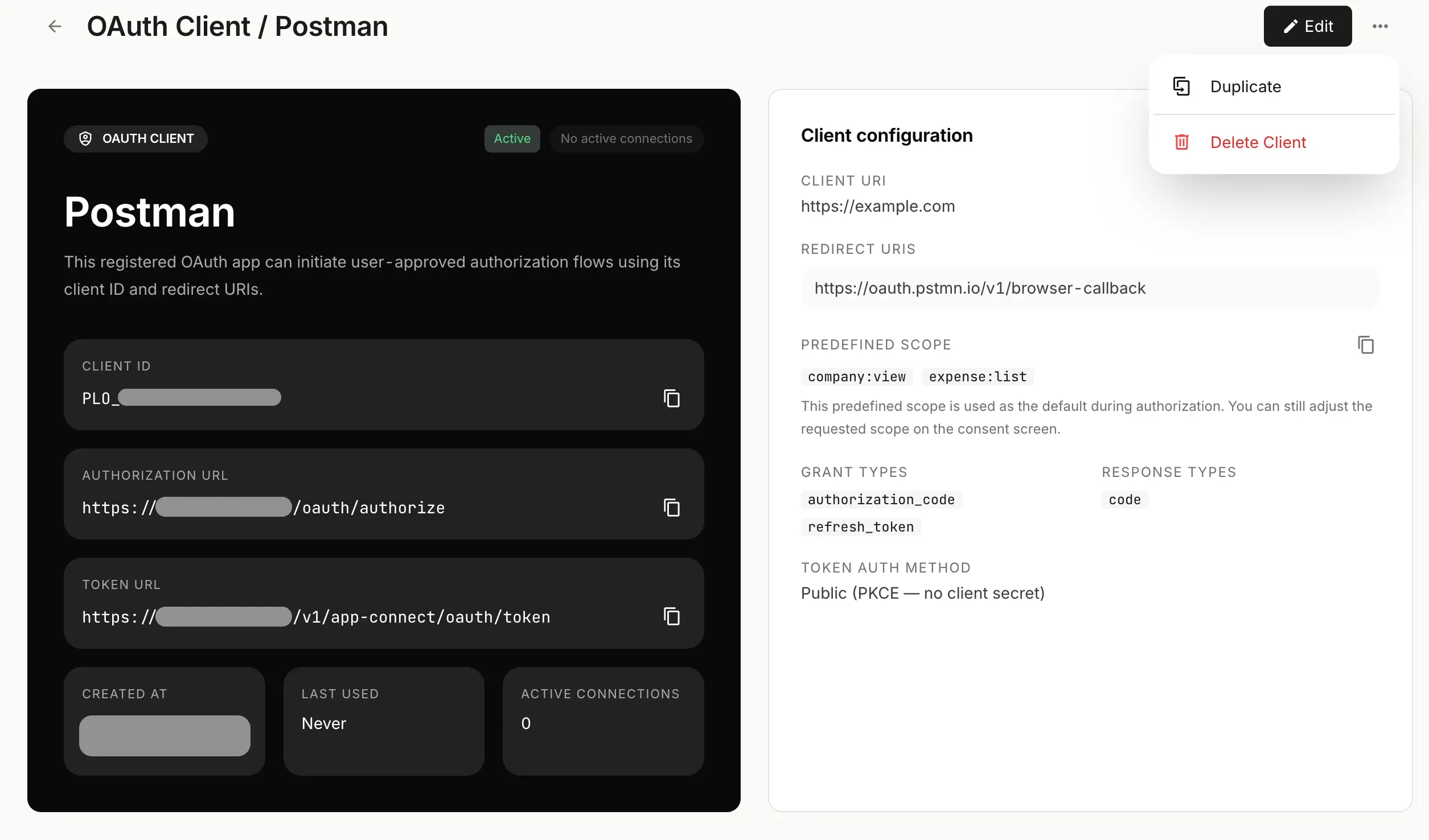
The OAuth 2.0 connection surface should stay reviewable after setup, not disappear into implementation detail.
A secure rollout checklist
- Use a test company or non-production workspace before issuing live access.
- Start with the minimum scopes needed for the first working version.
- Keep
client_secretvalues in a vault or secrets manager, never in frontend code, local config committed to git, or chat threads. - Give each integration a clear owner, business purpose, and review cadence.
- Make revocation easy to execute by documenting whether the team should rotate an API credential or delete an OAuth connection.
What to publish on your own integration pages
If you are writing docs, onboarding notes, or partner setup steps:
- Say API credentials when the reader is creating a server-side integration.
- Say OAuth 2.0 when the reader is authorizing a client through the browser.
- Keep OAuth 2.1 guidance on its own technical page if you need to document stricter implementation profiles or migration rules.
- Avoid using "OAuth" as a catch-all for every API integration.
- Avoid telling readers to create API credentials if the real flow is redirect-based consent.
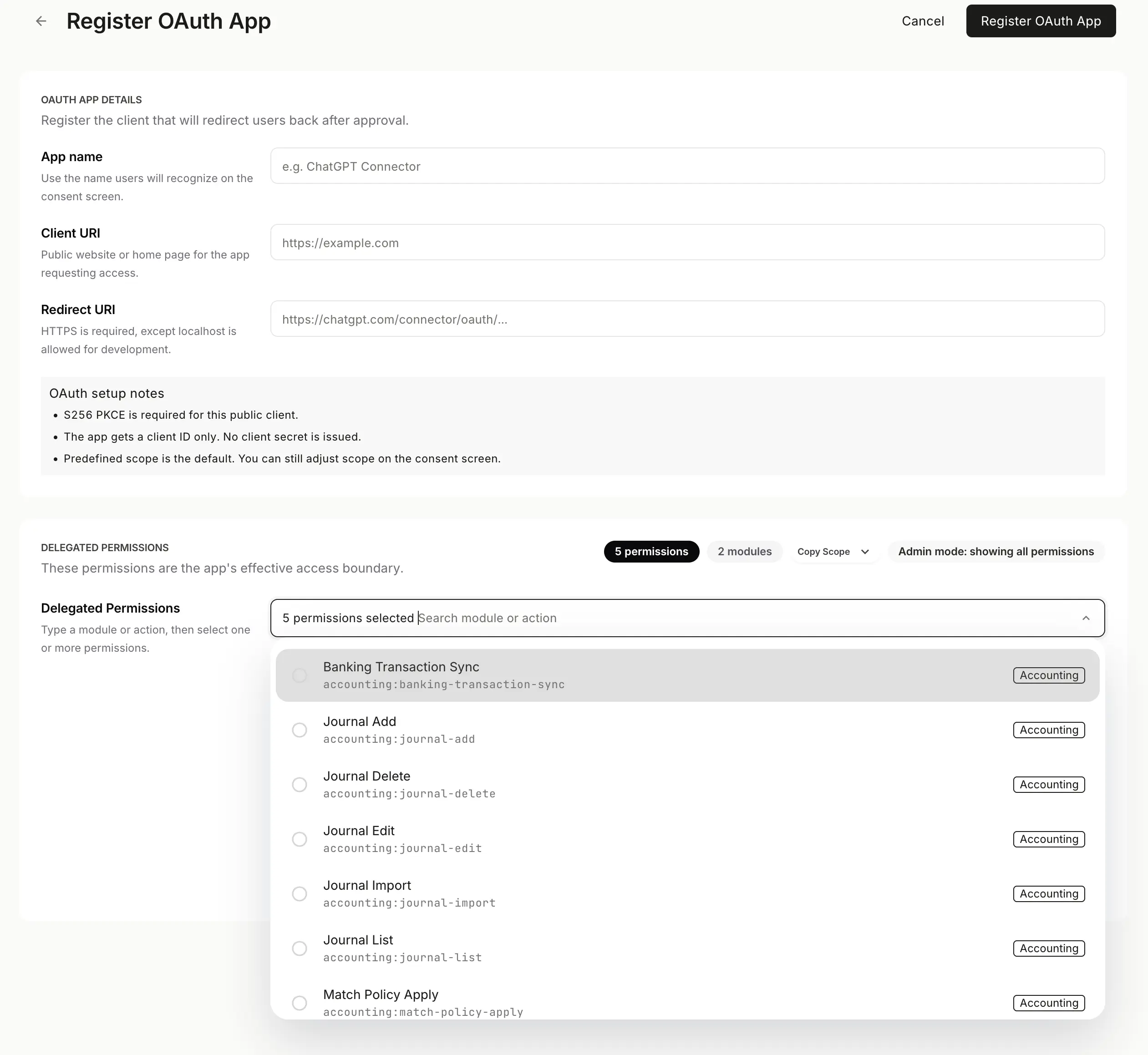
Registration belongs to the delegated-access path. It should not be mixed into API credential onboarding.
That language distinction saves a lot of setup friction.
Where to go next
- Need the full server-side walkthrough: The Architecture of Modern Finance: Scaling Operations via Accounting APIs
- Need the AI-client path: MCP for accounting
- Using Claude: Claude Can Now Work With Your NewLedger Books
- Using Microsoft Copilot: Microsoft Copilot Can Now Work With Your NewLedger Books
- Need endpoint details: NewLedger API documentation
In practice, most teams should treat API credentials as the default integration path and OAuth 2.0 as the delegated-access path. Once you frame it that way, the App Connect model becomes much easier to explain and much harder to misuse.
More in Guides
How to set custom exchange rates in NewLedger
Start from the live rate, choose an effective period, and see which rate your transactions use.
Read articleClient Accounting Onboarding Checklist for Bookkeeping Firms
A practical checklist for moving a new client from signed scope to reliable monthly delivery—with clean opening data, controlled access, and clear responsibilities.
Read articleManaging Multiple Client Ledgers: An Operating Guide for Modern Accounting Firms
A practical framework for standardising onboarding, reconciliation, review, close, and reporting without weakening the boundary around each client's books.
Read article