
Client-Specific Pricing: Smarter Invoicing, Fewer Headaches
Set custom prices per client-automatically applied to every invoice

Photo by Pexels.com
Introducing Client-Specific Pricing
Set custom prices per client—automatically applied to every invoice.
Say Goodbye to Manual Price Adjustments
Tired of digging through contracts or spreadsheets to recall client-specific rates? Now your system remembers for you.
How it works in practice:
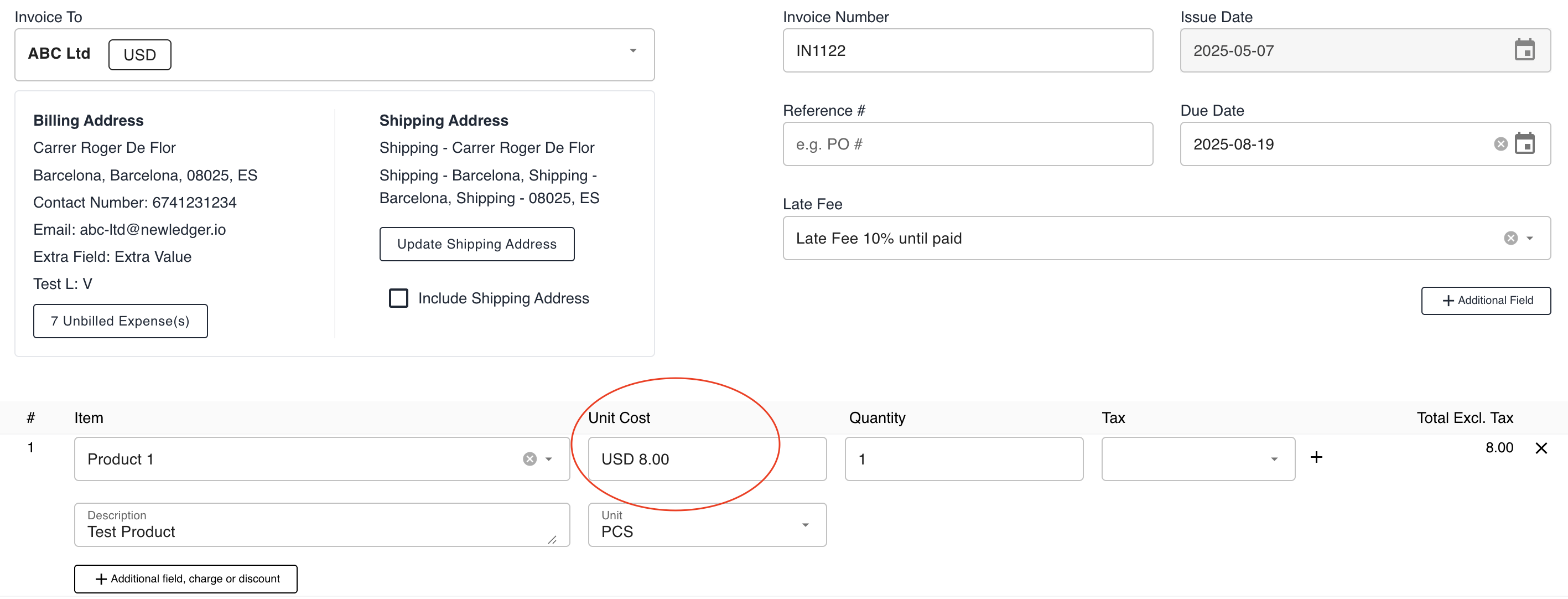
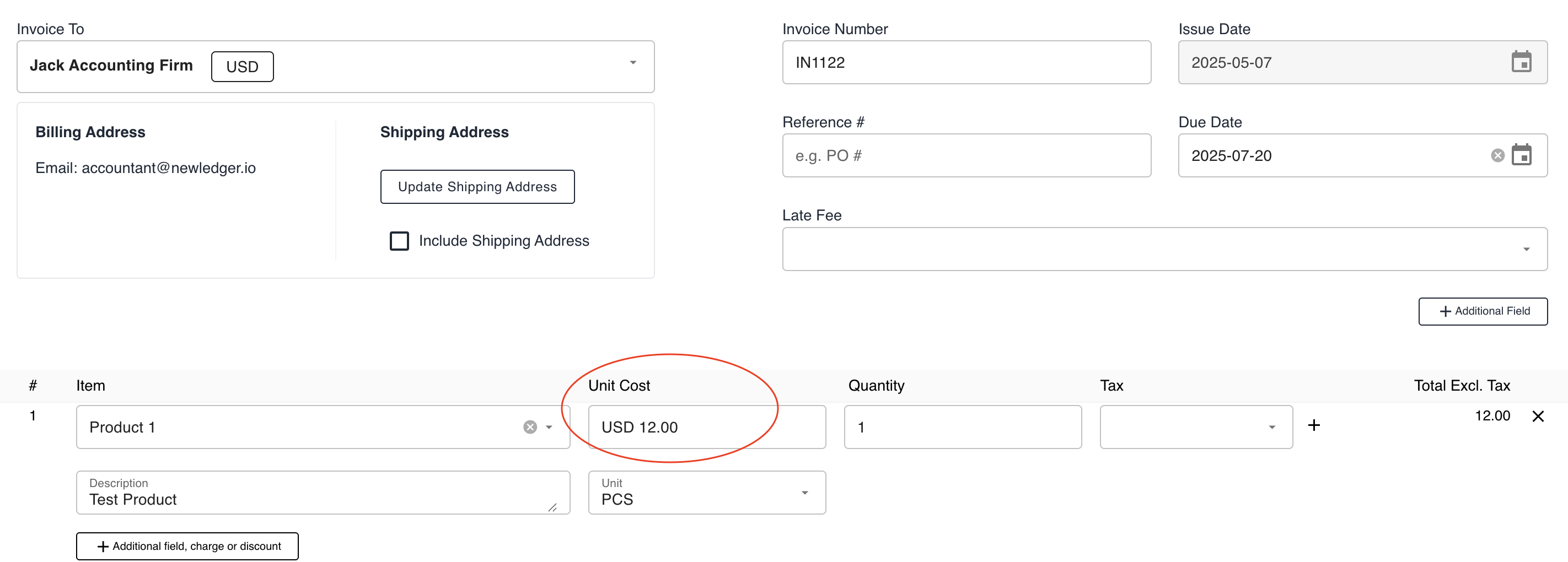
✅ Default price: $10 (for most clients)
✅ Client A (VIP): $8 (loyalty discount)
✅ Client B (Premium): $12 (priority service tier)
When creating an invoice:
- Select the client → 2. Add items → 3. Prices auto-adjust based on their agreement.
One-Time Setup, Forever Savings
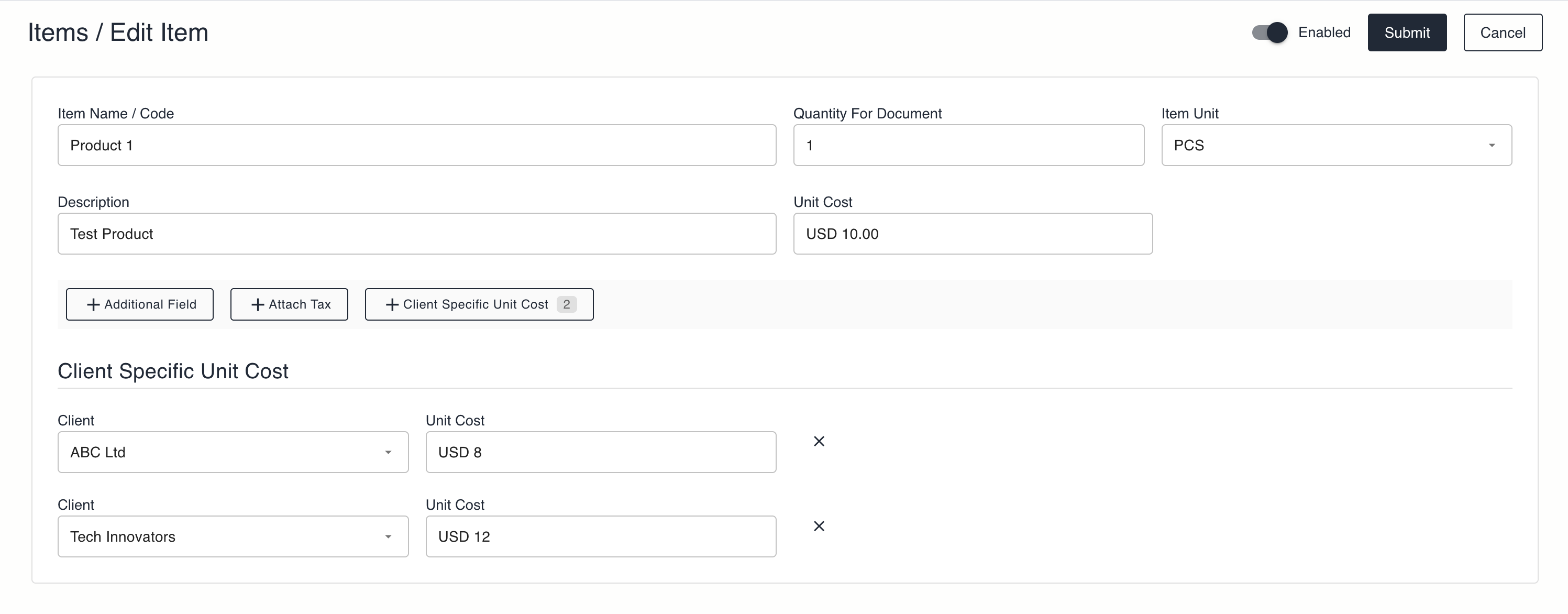
- Edit an item (Products/Services tab)
- Set default price
- Click "Add Client-Specific Price" to override for select clients
- Save – prices will auto-populate forever
💡 Pro Tip: Use this with Recurring Invoices or Saved Templates for fully automated billing.
Who Benefits Most?
| Use Case | Example |
|---|---|
| Wholesale discounts | Client A gets 20% off all widgets |
| Service tiers | Client B pays extra for 24/7 support |
| Contract agreements | Client C’s fixed-rate project fee |
Key Advantages
| For You | For Clients |
|---|---|
| ⚡ 75% faster invoicing | 💯 Consistent, accurate pricing |
| 🛡️ Fewer manual errors | 🤝 Transparent agreements |
| 📊 Easy bulk price updates | 🎯 Personalized experience |
Get Started Now
- Open the real demo
- Open Items List > Edit any product/service
- Set client-specific pricing → Save
- Create an invoice and watch prices auto-adjust!
More in Product
Precision Control: Immutable Document Versioning
Eliminate data ambiguity with NewLedger's forensic-grade revision history and chain-of-custody protocols.
Read articleGovernance: Transaction Lock
Bulletproof your books with NewLedger's new Hard and Soft fiscal restriction protocols.
Read articleIntroducing the New Item Module: Smarter, Faster, and Ready for Advanced Pricing
Discover how NewLedger’s enhanced Item module helps you manage products and services more efficiently — with built-in margin insights and future-ready pricing capabilities.
Read article