
Introducing the New Item Module: Smarter, Faster, and Ready for Advanced Pricing
Discover how NewLedger’s enhanced Item module helps you manage products and services more efficiently — with built-in margin insights and future-ready pricing capabilities.

NewLedger Product Team
The Item module has always been at the heart of NewLedger — helping businesses define products, services, and pricing with precision.
Now, we’ve re-engineered it from the ground up for better performance, smarter insights, and seamless scalability.
5 Key Improvements in the New Item Module
1. Faster and Cleaner Item Forms
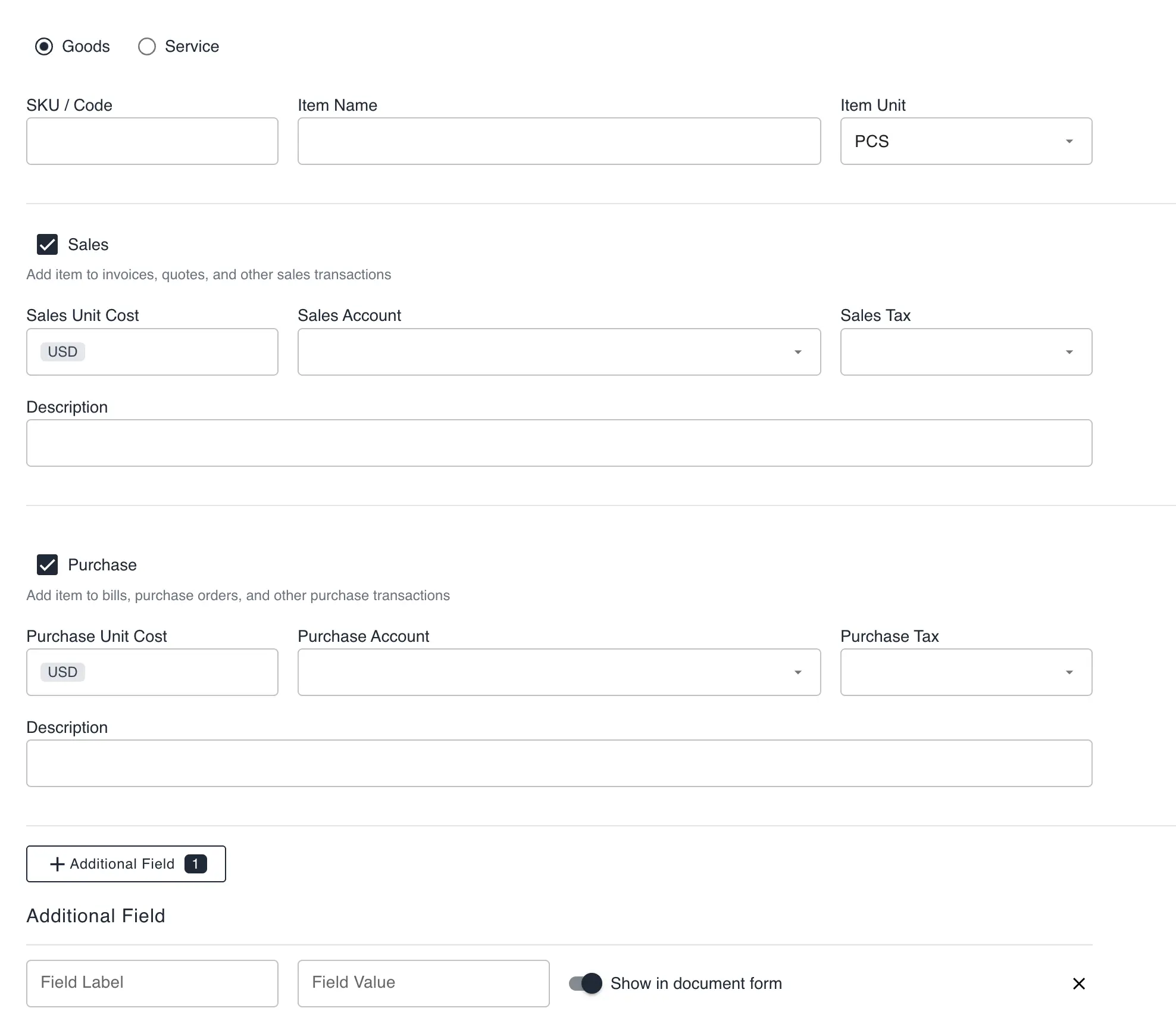
We’ve redesigned the item form to make data entry smoother and more intuitive.
Everything — from pricing fields to item categories — now loads instantly and feels more connected across modules like Invoices, Bills, and Quotes.
2. Richer Context with Linked Insights
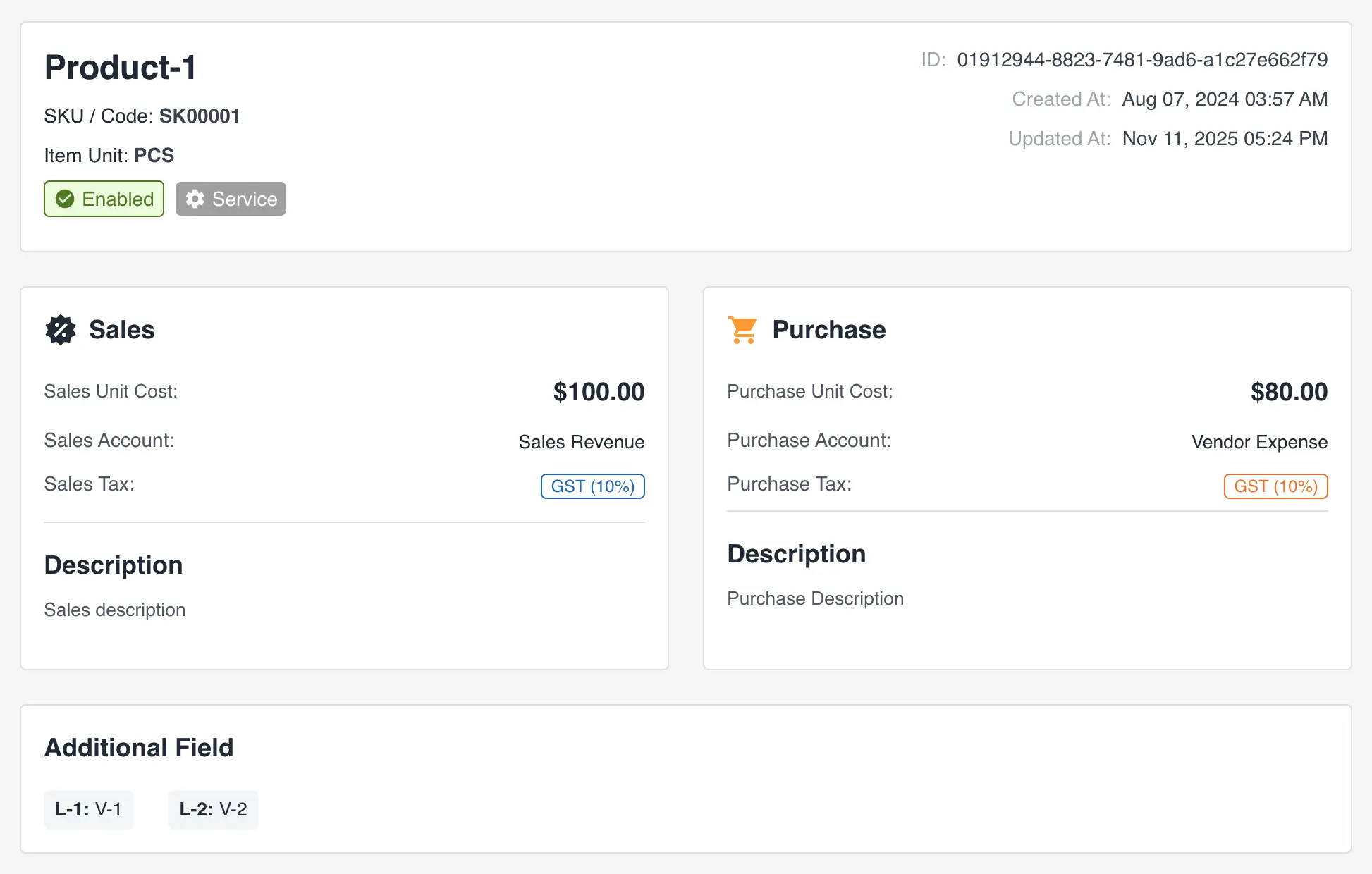
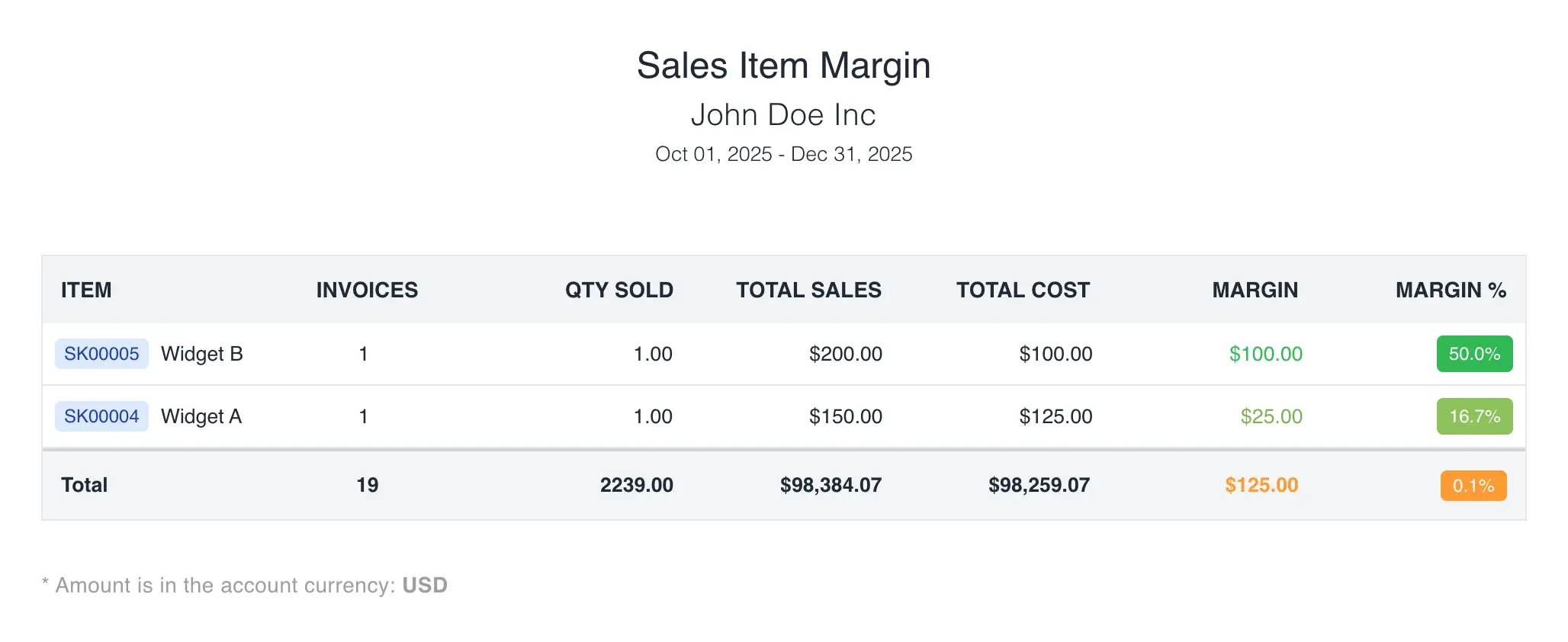
Your items now show direct insights into sales, purchases, and margins — all in one place.
This gives finance teams an immediate view of profitability, helping them make faster and more informed pricing decisions.
3. Smarter Data Relationships
Each item now maintains structured links to accounting, tax, and pricing entities.
That means fewer sync issues, consistent reporting, and cleaner data for your GL, analytics, and dashboards.
4. Better Multi-Currency Support
If you deal in multiple currencies, this update is for you.
The new structure ensures your item pricing stays consistent with the transaction’s currency—giving you clearer FX conversions and margin comparisons. When a period or contract calls for a specific rate, you can now set custom exchange rates with effective dates and see exactly which rate each invoice used.
5. Foundation for Advanced Pricing — Future-Ready & Flexible
We’ve introduced skeleton pricing support under the hood — the foundation that will soon power dynamic and rule-based price lists.
This upgrade ensures your business is ready for smarter, data-driven pricing without migration headaches.
Think of it as the framework that enables flexible pricing tiers, seasonal adjustments, and customer-specific rates — all coming soon.
What this sets up next
The new Item module is the base layer for pricing work that is already landing in NewLedger:
- Client-specific pricing lets you hold a negotiated price per customer on the same item record.
- Custom exchange rates with effective dates keep foreign-currency item prices and margins on the rate your policy requires.
- Rule-based price lists, seasonal adjustments, and tiered pricing will build on the same structure, so nothing you set up today needs migrating later.
Try the new Item module
Open Items in your NewLedger workspace, create or edit an item, and check the sales, purchase, and margin views described above. Existing items were migrated automatically, so there is nothing to reconfigure.
If you are not on NewLedger yet, create a workspace and add your first item in a few minutes, or talk to us about moving an existing product catalogue across.
— NewLedger Product Team
More in Product
Precision Control: Immutable Document Versioning
Eliminate data ambiguity with NewLedger's forensic-grade revision history and chain-of-custody protocols.
Read articleGovernance: Transaction Lock
Bulletproof your books with NewLedger's new Hard and Soft fiscal restriction protocols.
Read articleClient-Specific Pricing: Smarter Invoicing, Fewer Headaches
Set custom prices per client-automatically applied to every invoice
Read article