
Custom Invoice Statuses: Tailor Workflows to Your Business Needs
Go beyond basic 'Paid/Unpaid' with fully configurable invoice lifecycles
NT
NewLedger Team
EditorialMarch 2, 20253 min read

Photo by Anna Shvets from Pexels
Why Standard Statuses Fall Short
Most systems force you into rigid workflows. With NewLedger’s custom statuses:
- Track "Awaiting PO", "Partially Paid", or "Disputed" invoices
- Enforce approval chains before payment
- Automate actions at each stage (emails, reminders, locks)
How It Works
1. Configure Your Status Library
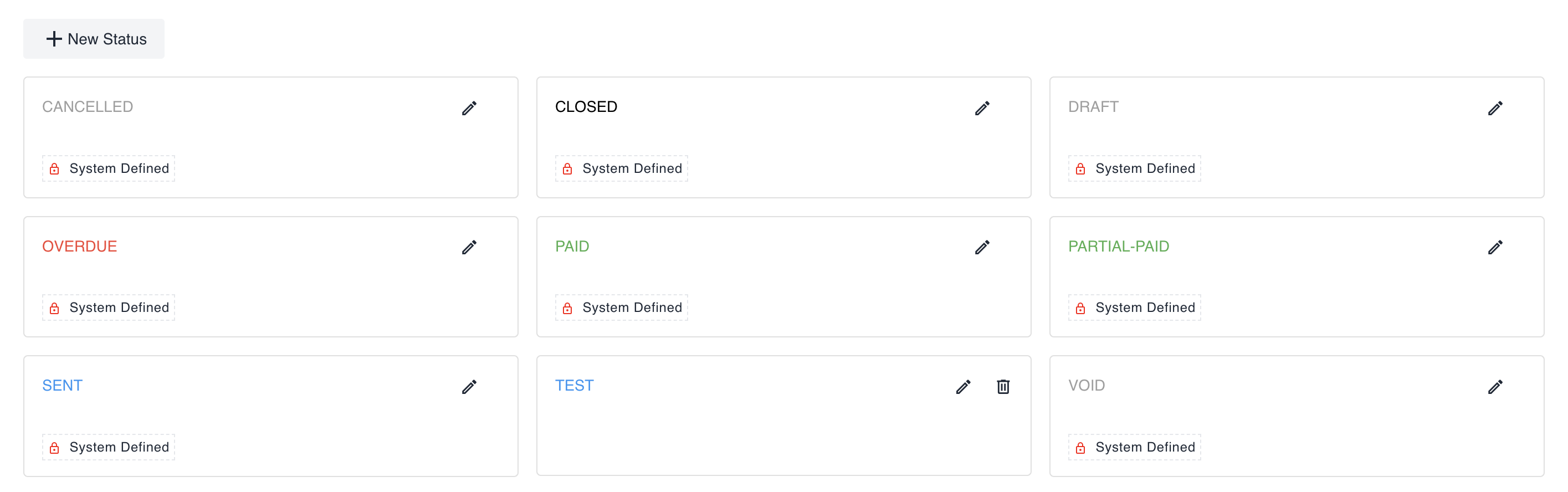
Path: Invoices → Settings → Status
- Add unlimited statuses with custom names/colors
- Set system behaviors:
- Block payment processing
- Exclude from overdue reports
- Auto-send notifications
- Example use cases:
- "Client Review" (pauses due date timer)
- "Finance Approved" (required before payment)
2.1. Define Transition Rules
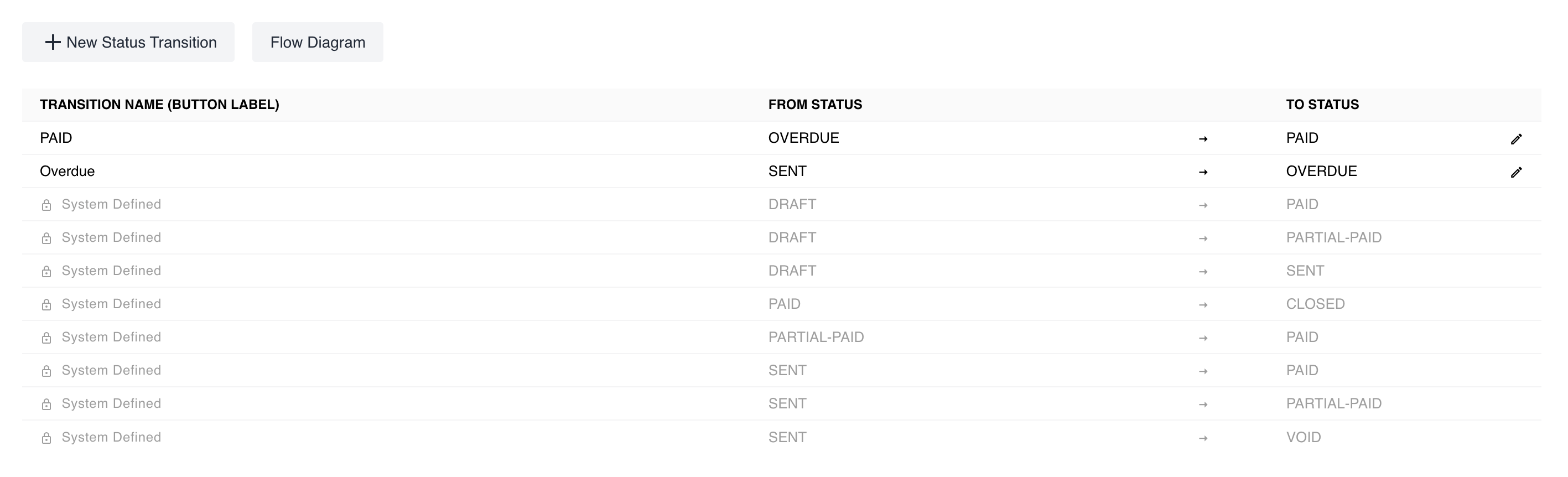
2.2. Preview Transition Rules
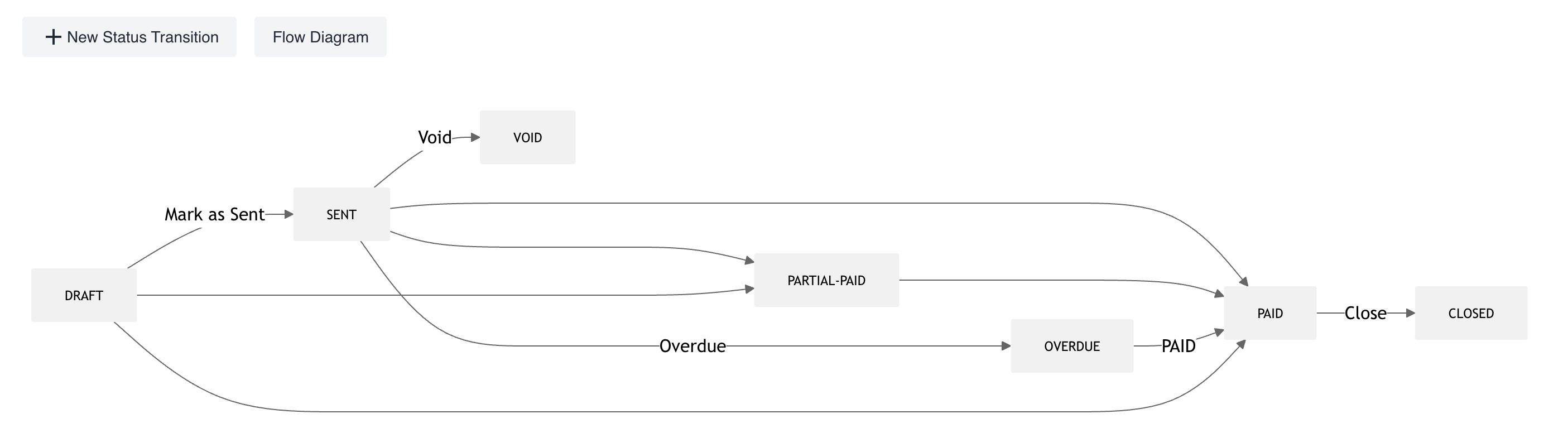
Path: Invoices → Settings → Workflow
# invoicing # workflow # automation # billing
Keep reading
More in Product
Product
Precision Control: Immutable Document Versioning
Eliminate data ambiguity with NewLedger's forensic-grade revision history and chain-of-custody protocols.
Read articleProduct
Governance: Transaction Lock
Bulletproof your books with NewLedger's new Hard and Soft fiscal restriction protocols.
Read articleProduct
Introducing the New Item Module: Smarter, Faster, and Ready for Advanced Pricing
Discover how NewLedger’s enhanced Item module helps you manage products and services more efficiently — with built-in margin insights and future-ready pricing capabilities.
Read article