
One Modern Import Workflow, Across NewLedger
Turn messy source files into clean, reviewable records—without rigid templates, frozen browsers, or blind bulk uploads.
NewLedger Editorial
Most accounting software treats import as a side door.
You download a template, rename twelve columns, hunt through a help article for the accepted date format, upload the file, and wait. If it fails, you get a row number and an error message written for the engineer who built the importer—not the finance person trying to get work done.
If it succeeds, the anxiety is worse: what exactly just entered the books?

We thought import deserved to be a first-class accounting workflow. So that is what we built in NewLedger: a guided path from an imperfect source file to clean, reviewable records, with the important decisions made visible before data lands in the ledger.
Import is not a file upload
A CSV is only a container. The real work is interpretation.
Which column is the transaction date? Is the amount signed, or split between debit and credit? Does ACME LTD refer to an existing contact? Is 4000 an account code, an account name, or an external identifier? Are dates written day-first or month-first? Has this file already been imported?
Traditional importers hide those questions behind a rigid template. NewLedger brings them into the workflow.
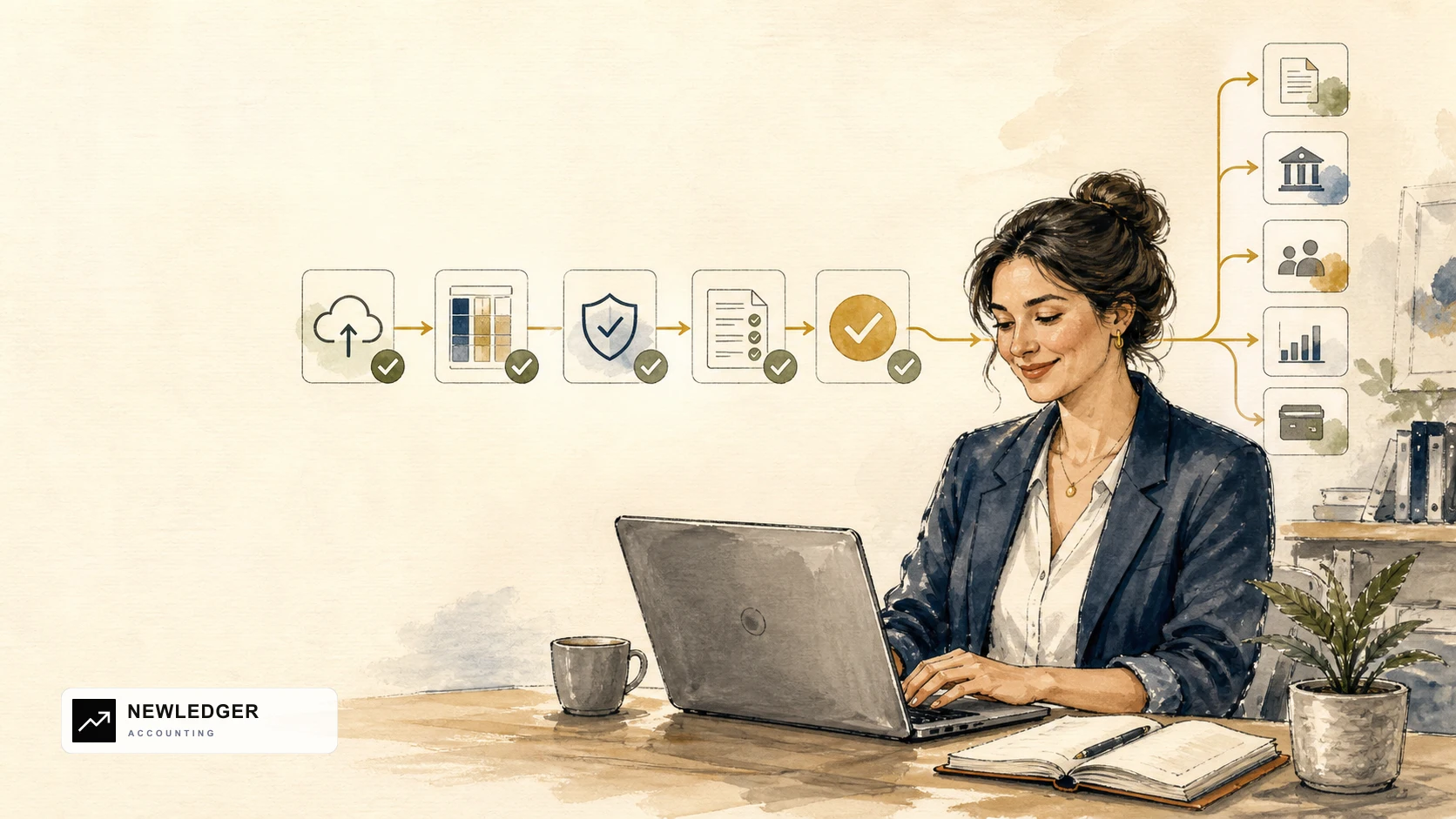
The result is one import experience built around five clear steps:
- Upload the source file
- Map its columns to NewLedger fields
- Validate the data before it enters the books
- Review exactly what will be created
- Import the records with their source context intact
That sounds obvious. In accounting software, it is surprisingly rare.
Learn the process once. Use it across modules.
Import should not feel like a collection of unrelated tools built by different teams.
NewLedger follows the same import process across modules. Whether you are bringing in transactions, people, items, or business documents, the interaction stays familiar.
The fields change because the accounting records are different. The mental model does not.
| Module | What the shared workflow protects |
|---|---|
| Bank transactions | References, currency, amounts, and source identity remain visible before matching |
| Customers and vendors | People fields are mapped and checked before new records are created |
| Products and services | Item details move into a structured catalogue instead of being re-entered |
| Expenses | Amounts, accounts, currency, and supporting references can be reviewed together |
| Journals and opening balances | Debit and credit balance requirements are validated before entries reach the ledger |
| Invoices and bills | Document fields and source identifiers stay connected to the imported record |
That consistency matters more than it might appear. Finance teams do not have to rediscover where errors appear, wonder whether a different module posts immediately, or teach a separate import ritual for every record type. Once someone understands one NewLedger import, they understand the shape of the next one.

Bring the file you already have
The fastest import starts with the export already sitting in your downloads folder.
NewLedger gives you a clear workspace to bring in accounting data and connect source columns to the fields each module needs. A bank export may describe money in and money out; a journal file may contain debit and credit columns; a customer list may carry names, emails, tax details, and external references. Instead of rebuilding each file to satisfy a different brittle template, you define what its data means.
This matters because real source data is never quite standard. Banks, payment processors, commerce platforms, legacy accounting systems, and internal tools all describe the same business event differently. NewLedger adapts at that boundary while keeping the accounting model strict on the other side.
That is the principle behind NewLedger's import flow: flexible at ingestion, controlled at posting.
Mapping you can actually reason about
Column mapping is where an import becomes either dependable or dangerous.
NewLedger keeps source data and its destination visible together, so you can answer practical questions before committing anything. The same mapping experience adapts to the record you are importing:
| Module | Source columns often look like |
|---|---|
| Bank transactions | Txn Date, Money Out, and Money In map to the date, amount, and direction |
| Customers and vendors | Company, Email, and Tax Number map to the corresponding people fields |
| Expenses | Supplier, Expense Account, and Tax provide the accounting context for each cost |
| Journals | Account, Debit, and Credit define the balanced journal lines |
| Invoices and bills | Document No, Due Date, and Currency describe the business document |
| Products and services | SKU, Description, and Unit Price become structured item details |
The fields change with the module, but the job stays the same: tell NewLedger what each source column means without making the person importing it think like a database.
And because the mapping is explicit, the import is explainable. A reviewer can see the assumptions behind the result instead of trusting an opaque transformation.
Validate before the books have to absorb the mistake
The cheapest accounting error is the one that never gets posted.
NewLedger checks imported data as part of the workflow, so formatting gaps, missing required values, unbalanced journals, and records that need attention can be dealt with before the import is completed.
Bulk data follows the same accounting rules as records created elsewhere in NewLedger; arriving in a file does not exempt it from validation. That moves cleanup to the moment when the source row, mapped field, and intended result are still in view.
The modern difference is that validation happens in context:
- Mapping previews show source columns beside the NewLedger fields they will populate.
- Inline errors identify the affected row and field instead of returning one cryptic failure for the whole file.
- Review happens before commit, with valid and invalid rows visible together while changing a mapping or correcting the source is still safe.
The old import loop
Errors arrive one at a time
- Upload the file
- Wait for it to fail
- Return to the spreadsheet
- Upload the file again
- Discover the next error
 NEWLEDGERACCOUNTING
The NewLedger review flow
See the whole file before commit
- Map source columns
- See errors beside the affected rows
- Correct the mapping or source
- Review valid and invalid rows together
- Import the reviewed records
You spend less time bouncing between a spreadsheet and the accounting system, and you have a much clearer answer to “is this file ready?”
Large files should not freeze the browser
An importer that feels smooth with 50 rows can fall apart when a real migration file arrives.
NewLedger paginates large imports instead of trying to render the entire file in the browser at once. You can move through the data in manageable pages, inspect errors in context, and keep the review screen responsive even when the source file is large.
That is not cosmetic performance work. A frozen tab creates uncertainty: did the upload fail, is it still processing, or is it safe to try again? Keeping the interface responsive gives the person running the import a clear sense of progress and control.
Duplicate protection belongs in the data model
Imports are often rerun. A connection drops, a user is unsure whether the first attempt completed, or an upstream system sends an overlapping batch.
“Please do not upload the same file twice” is not a control.
When the source provides an external identifier, NewLedger stores it together with the source on the created record. Uniqueness controls then catch that same provider record if it arrives again within the record type.
That gives integrations and repeatable imports a durable identity beyond a filename. It is a technical detail, but it supports a very human outcome: fewer moments wondering whether clicking Import again will duplicate a week of activity.
Imported does not mean reconciled
Moving data into accounting software is only the beginning. It still needs context.
Imported bank transactions enter a workflow where NewLedger can rank likely matches against invoices, bills, expenses, journals, and grouped records. Your team can tune how strongly amount, date, reference, description, currency, counterparty, and grouping signals influence those suggestions.
That separation is deliberate:
- Import preserves the source activity.
- Matching connects it to the likely accounting event.
- Reconciliation confirms that the records belong together.
An importer should not create false certainty. NewLedger helps move the data forward while keeping the accounting decision visible and reviewable. For a deeper look at the next stage, read Transaction Matching Rules, Explained.
Built for migrations and everyday operations
Import is often discussed as a one-time migration tool. In practice, it serves several different jobs:
- bringing historical activity into a new company
- loading bank or payment-provider files when a direct feed is not available
- importing expenses without re-entering every record by hand
- bringing in journal entries and opening balances for migration or period setup
- bringing operational data from a vertical platform into the ledger
The same qualities matter in every case: a familiar process, clear mapping, early validation, source identity, and a reviewable result.
For a migration, those controls make cutover safer. For recurring work, they turn a fragile monthly ritual into a process the team can understand and repeat.
Import is where the product meets reality
Imports are easy to undersell because they are rarely the feature shown in a glossy product demo. But anyone who has migrated a ledger, onboarded a client, or cleaned up a payment export knows better.
Import is the moment a new accounting system meets reality.
Reality has inconsistent headers, regional dates, unexplained references, overlapping files, old account codes, and just enough ambiguity to make a blind bulk upload dangerous. A product earns trust by handling that mess honestly—helping the user interpret it, surfacing what needs attention, and keeping control of what reaches the books.
That is the import experience we want NewLedger to be known for.
Your data should be portable. Your import should be understandable. And your ledger should still be controlled when the upload is done.
Start a 14-day free trial to explore NewLedger, or talk to us about your migration.
About this guide: The NewLedger Team wrote this article from the product's import workflow and accounting validation rules. It reflects NewLedger as of August 11, 2026. Learn more about NewLedger and our approach to security and compliance.
More in Product
Claude Can Now Work With Your NewLedger Books
Ask questions using live financial data, connect multiple companies, and prepare accounting work with human approval built in.
Read articleMicrosoft Copilot Can Now Work With Your NewLedger Books
Bring live accounting context into the Microsoft 365 workflows your finance team already uses—with company-scoped access and controlled writes.
Read articleMCP for Accounting: Your AI Assistant Can Now Work With Your Books
NewLedger now supports the Model Context Protocol, so you can ask Claude or any compatible AI client to pull reports, draft invoices, and categorise transactions — without ever handing it the keys.
Read article